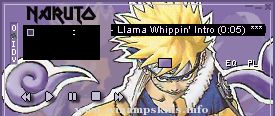
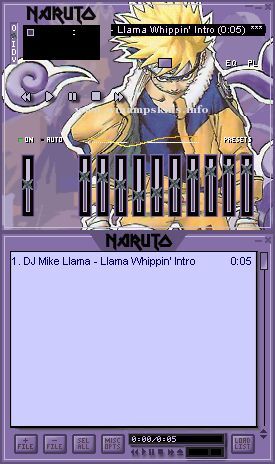
** S-AMP 1.0 **This is my first skin. Iknow it's not as good as those other onesout there, butI think it wasworthwhile to try to make a skin of my ownins
** S-AMP 1.0 **
This is my
first skin. I
know it's not
as good as
those other ones
out there, but
I think it was
worthwhile to
try to make a
skin of my own
instead of editing
someone elses
all the time.
There are two
ways to config-
ure this skin.
The first is to
set it on "hole"
mode. This
setup is the
default one
(as is when
downloaded.)
The second setup
which is the
"connect"mode,
requires you to
change some
lettering.
To get the
"connect" mode,
rename:
"main.bmp" -> "mainx.bmp"
"eqmain.bmp" -> "eqmainx.bmp"
"main2.bmp" -> "main.bmp"
"eqmain2.bmp" -> "eqmain.bmp"
Then change the
text file
"region.txt"
by adding
semi-colons ";"
to the beginning
of every line
until the last
line.
To see the
changes take effect,
you must place the
equalizer module
under the main
module. You will
see that the two
modules "link."
Enjoy.
-fYRE
(info-is@in-file)
_________________________________________________________
S i n C i t y
_________________________________________________________
Design Kimmo "Soulman" Laine (c) 2000
e-mail info-is@in-file
...