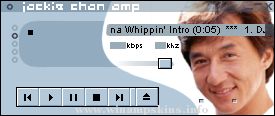
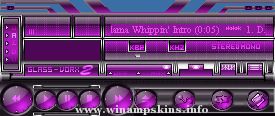
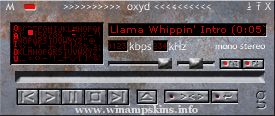
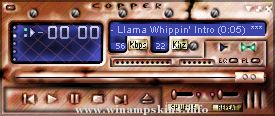
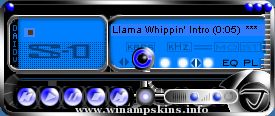
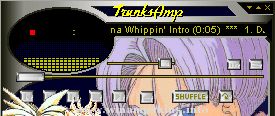
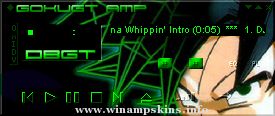
** S-AMP 1.0 **
This is my
first skin. I
know it's not
as good as
those other ones
out there, but
I think it was
worthwhile to
try to make a
skin of my own
instead of editing
someone elses
all the time.
There are two
ways to config-
ure this skin.
The first is to
set it on "hole"
mode. This
setup is the
default one
(as is when
downloaded.)
The second setup
which is the
"connect"mode,
requires you to
change some
lettering.
To get the
"connect" mode,
rename:
"main.bmp" -> "mainx.bmp"
"eqmain.bmp" -> "eqmainx.bmp"
"main2.bmp" -> "main.bmp"
"eqmain2.bmp" -> "eqmain.bmp"
Then change the
text file
"region.txt"
by adding
semi-colons ";"
to the beginning
of every line
until the last
line.
To see the
changes take effect,
you must place the
equalizer module
under the main
module. You will
see that the two
modules "link."
Enjoy.
-fYRE
(info-is@in-file)
Clerks.
This skin is kind of intended to represent the original live-action movie, but I used the cartoon style.
I made it as another entry into the Monochrome Classics contest on the Winamp.com forums.
http://forums.winamp.com/showthread.php?s=&threa ...
16-BitAmp For Winamp 5x (I think)
By John Kreitlow (aka J2krei08) and RADIUM-V
V2 Completion Date: 8/24/2005
Version Two is here! I fixed some problems from the first version, and made it more true to DOS, with the fonts and all. I still couldn't ...
>> KENWOOD ALLORA type XF for Winamp
===========================================
WEB : http://www.bc.wakwak.com/~akane/
Thanks so much your downloading.
Version 2.0 ------------------- 2002/4/27
"KENWOOD ALLORA" is good looking ...
Sarahflower amp v1.4
update 1.4
added a skin for mikroamp.
This Winamp skin was made by Mr Tough Guy.
If you have any comments or suggestions about this or any of my other skins, mail me at:
info-is@in-file
If you like to see some of my ear ...
Titanium_stereo_amp V2.01 (13-08-2001)
----------------------------------------------------------------------
This skin is BASED on Pordey's design, (Pordey is at info-is@in-file)
but almost EVERYTHING was changed except for the basic button desig ...
minibrowser
Earthbound -- The Winamp Skin!!
This skin stinks.
-----------------------------------------
Thanks to Starmen.net for a bunch of screenshots. Curious about the cursors? They're all made from scratch, based on real weapon ...
Rush - "Roll The Bones"
Created by Eric @ Power Windows.
For more Rush Skins for Winamp, and
other Rush PC enhancements, visit
http://www.2112.net/powerwindows ...