**************************BluPlanet.wszby L.Larsson 09/03/04**************************BluPlanet Skin by Double EL,works best with WinAmp 2.9 &
**************************
BluPlanet.wsz
by L.Larsson 09/03/04
**************************
BluPlanet Skin by Double EL,
works best with WinAmp 2.9 & up.
All windows are skinned.
New Equalizer, Graphics & transparent cursor set.
All NEW w/Updated analyzer.
LL
Installation: v2.7 & above
------------
1. Copy/paste BluPlanet.wsz to the WinAmp
Skins directory.
2. Launch WinAmp, and type Alt-S for the
Skin Browser.
3. Double-click on the 'BluPlanet.wsz'..
or just click on file to Auto lauch.
More info:
http:leelarson.net
info-is@in-file
NOTE: There are some differences between Win98 and XP..
1)In Win98 text appears with Lines running through them
on "Songname"(as "Text.bmp" graphic shows)
2)In WindowsXP text appears normally with solid
background on "Songname".
------------------- ---------------------
(1)---1---2---3---4--- (2) 1 2 3 4
------------------- ---------------------
-----------------------------
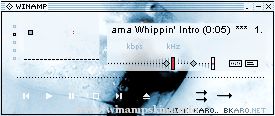
think karo .. bkaro.net
This is the official bkaro dot net winamp skin.
It's made in the Ice design like our whole site.
-----------------------------
Note: if you have problems with the animated
cursors: Re ...
______
Bunker
¯¯¯¯¯¯
Thanks for downloading Bunker. I hope you enjoy it.
To see my other Winamp skins visit my website at:
www.ripe.tk
email:
info-is@in-file
-BUNKER -
• •• ••• •••• ••••• ...