[Text]
Normal=#FFFFFF
Current=#000000
NormalBG=#69BADF
SelectedBG=#FF8A00
Font=Tahoma
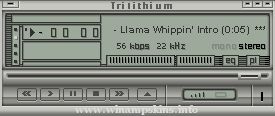
Winamp XP Silver
- info-is@in-file ----------------------------------
--------------------------------------------------------
Extra skins:
Album List plug-in.
MikroAmp plug-in.
--------------------------------------------------------
Best Visualisation Settings:
Spectum analyzer
70fps Refresh rate
Line style
No Peaks
Thin bands
Analyzer falloff: 4
Icon Directions:
1. Unzip the skin file and extract winamp.ico
2. Right-Click on any Winamp shortcut that
you want to use the new icon with
3. Select "Properties"
4. Select "Change Icon..."
5. Select "Browse..." and locate where you
extracted the icon
6. Click "OK" on all remaining windows left over,
and your shortcut icon will change.
--------------------------------------------------------
Changes on 07.24.2002:
Included my Winamp XP icon (made nearly to MS spec)
Fixed some visual errors in the Playlist Editor
Fixed Mono/Stero image
Changes from last release:
Changed most of Main Window
Altered colors throughout the skin
Changed viscolor.txt
Changed display style of Equalizer
Better cursors
lots of minor changes
--------------------------------------------------------
Big Thanks to:
Nifty Viscolor for a superb tool - http://home.earthlink.net/~redbird77/winamp/viscolor.htm
Microsoft for a fantastic OS - http://www.microsoft.com
Adobe for the best graphics applications - http://www.adobe.com
Nullsoft for making the best piece of software in existance - http://www.winamp.com
"Maximum Velocity"
By Stephan Hoekstra AKA Ampburner
(info-is@in-file | www.ampburner.com)
-------------------------------------------------
Comments
This is my latest skin called 'Maximum Velocity"
or "V-Max". I would personally describe it as
're ...
"Sakura no hana"
Characters : Sakura, from "Tsubasa RESERVoir CHRoNiCLE" by Clamp.
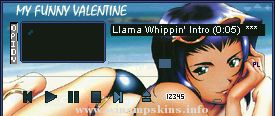
I just love this picture, don't you ? I wanted to make a skin with it since a long time and I finally did it...
It was easier to do, though I had some trouble with ...
"bloo plastik"
Began: October 6, 2002
Completed: October 6, 2002
I started designing this skin a couple of weeks ago. I decided to start it today (began date), and I finished it today as well.. It was an easy skin to make.. I am very proud of w ...
Creator: info-is@in-file
Skin Name: fe2o3
Created: November 2001
Dedicated To: Aquila Blue
Updated: Never
___ All windows and cursors skinned. ___
Winamp Version: 2.0 or higher
Paint Program: Adobe Photoshop 6.0
Web Page: http://www.naone ...
PLAYBOY twins
Thanks for D/L my Playboy skin.The Twins are Hugh Hefner's girlfriends on the cover of the May 2000 issue. I thought it was a great photo so I had to skin it. ( and I'm particular towards blondes ) Thanks Playboy, always terrific work. ...
AA M M PPPP TTTTT EEEE CCC H H
A A MM MM P P T E C H H
AAAA M M M PPPP T EEE C HHHH
A A M M P T E C H H
A A M M P T EEEE CCC H H
AmpTech - 2.08
Created and ...