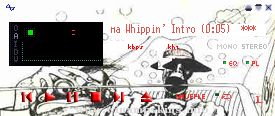
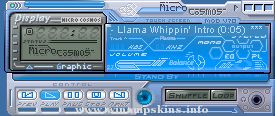
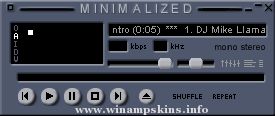
Orange Blossom - Winamp 5.2 Classic Skin
Tools used:
*Photoshop CS
*Skinner's Atlas by Jellby
*Flower brushes for Photoshop, by elfe-noire43, found in http://www.deviantart.com/deviation/31099383/
*A very nice font called National Primary, by Roger White, found in http://www.fontfreak.com/index3.htm
*Boredom :)
PS- The National Primary font doesn't look very good if you use it on the playlist, etc. I found that
smaller fonts look better, specially if you use the shade version of the playlist. The font I'm using
with this skin is kroeger 05_55, which came to me in a Windows Visual Style pack somewhere around the net.
In case you don't have it yet, I've included in the skin file. Just
unzip the .wsz file with WinZip and extract or copy the font to the Windows/Fonts folder.
***
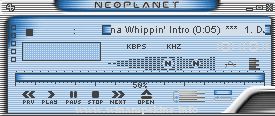
"bloo plastik"
Began: October 6, 2002
Completed: October 6, 2002
I started designing this skin a couple of weeks ago. I decided to start it today (began date), and I finished it today as well.. It was an easy skin to make.. I am very proud of w ...
Glazeamp v1.2
Made by Ragim
Thanks for downloading this skin. This version features modified main and EQ,
new titlebars, AVS window. For those who doesn't like this color scheme
grey version will be available soon. All parts and every small detail ...
TutchMee
by MsbS
This is my 4th skin, not very
sophisticated, but I quite like it.
Everything is skinned (well, unless
there's a new Winamp-feature with
undocumented windows or something).
Now it's probably time to learn
the transparency ...
Sepish - Skin For Winamp
version: 1.0 (4-21-2000)
Transparent skin for Winamp, I just wanted to know is it possible to make a round skin... Yes, but some parts will be missing... I recommend you to put the main window on top and the equalizer below ...
This is the first Winamp skin I've made, so I figured I should pick a worthy subject. :) I didn't bother skinning the Winamp browser, because, well, who uses it anyway?
To find out more about me and my work, including any future skins I make, check ou ...
"bloo plastik"
Began: October 6, 2002
Completed: October 6, 2002
I started designing this skin a couple of weeks ago. I decided to start it today (began date), and I finished it today as well.. It was an easy skin to make.. I am very proud of w ...
RISKY skin for Winamp 2
Made by Chris Corrado aka THE RIPGUY - 2002
----> Display:
recommend 16bit color or higher.
----> installation:
unzip into your winamp skins folder.(ex. c:program fileswinampSkins )
load up winamp and popup the wind ...