------------------------------------------------------
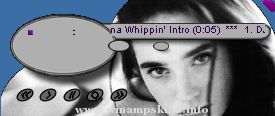
My Artistic Design version 2.91
------------------------------------------------------
by Korney "Carbofos" Czukowski,
Overview:
----------------
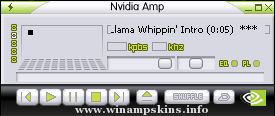
This is a Classic Winamp Skin for Winamp v.2.91
Thank you for downloading! This is my third skin and I hope you'll enjoy it. Please send your comments, suggestions, criticism, etc on my e-mail.
Credits:
------------
I'd like to thank Aharon Varady for reminding me that my skin is still being used 4 years after it was released!
He's actually the one responsible for this update :)
History:
------------
Version 2.91:
+ added graphics for video and general windows (AVS, Library)
+ remade some graphics in other windows (including more "visible" buttons in main window)
+ new colors in osciloscope and spectrum analyzer
First version (no version number):
+ Initial version I made back in year 2001
Legal:
----------
Everyone have right to distribute or host this skin as long as all of included files remain unchanged (including this readme.txt file) and the distribution itself remains free of any charge (i.e. for example if this skin is to be distributed on a CD, the CD itself MUST be free)!
If you decide to host this skin at your website, I'll be glad if you notify me.
Carbofos
------------------->by: C_Specter
-----------------------------------------------------
Hi there! this is version 2 of my MetaCon skin. I hope you find it quiet nice.
Skinnographie:
14.09.00: v.1.00
--> First release of Metacon
03.06.01: v.1 ...
=========================================
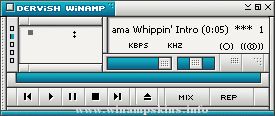
Smart AMP 2.2 by Fujix
October 2003
=========================================
Thank you for downloading!
Overview
--------
This skin is based on some utilities come with Sony Vaio.
Easy ...
This isn't the most beautiful skin around but it's functional. I've made it minimilist so as not to obscure the artwork generated for the XBOX demo (as featured in the skin). I hope some folks use it because I'll probably get my ass kicked if it's ever se ...
[FEB 13th 2002 - 23:30]
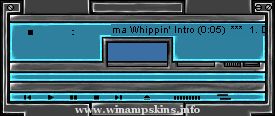
Dark Breeze v.2!!!
__________________
By: Filip "Tha_FLiP" Söderlund
info-is@in-file
No Spam or Ads or stuff like that!!!!!!
Thanx 4 downloading the Dark Breeze
this is my second skin and I think it became pretty cool... ...
=========================README==========================
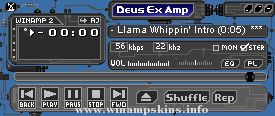
< Deus Ex Amp >
Copyright 2002 by Crocodile Dumbdee [Andrew ('AJ') Ashton]
Original Release: March 11, 2002
Created for: Winamp 2.x
Version: 1.0.0
Last Update: none
1) Copyr ...
Skin: ExperiMetal 2.9
Author: jjpotter
Features:
-Mikro
-Stackable Windows
-Support for Winamp 2.9
-Infra-Red-Detecting Cursors (very expensive)
Held Together With:
-Screws
-Solder
Powered By:
-Alkaline Batteries
Decided to try my ha ...
[Normal]
; This region info generated by Winamp region.txt generator which is made by Maxim.
; http://winamp.mwos.cjb.net
NumPoints=4,4,4,4,4,4,4,4,4,4,4,4,4,4,4,4,4,4,4,4,4,4,4,4,4,4,4,4,4,4,4,4,4,4,4,4,4,4,4,4,4,4,4,4,4,4,4,4,4,4,4,4,4,4,4,4,4,4,4,4, ...