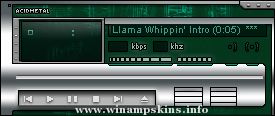
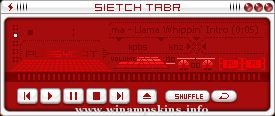
//USE THIS FILE ONLY TO REFERENCE THE PLEDIT COLORS
//
//
[Text]
Normal=#00FF00 //Color of the regular text (Playlist).
Current=#FFFFFF //Color of the current track text (Playlist).
NormalBG=#000000 //Background for normal text (Playlist).
SelectedBG=#0000FF //Background for the selected text (Playlist)
MbFG=#00FF00 //Text color in thestatus bar. (video / MiniBrowser)
MbBG=#000000 //Text background in the status bar. (video / MiniBrowser)
Font=Arial //Font face that's used in both windows
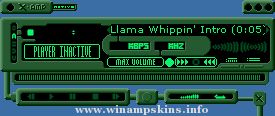
Well this is my 1st attempt at a skin, so tried to keep it quite simple. Will improve and add bits and might even attempt cursors next time so Billy Talent fans check back sometime. http://www.billytalent.com
Coppied from winamp/wa_dlg.h from the Winamp 2.9 ML SDK.
1) gen.bmp has a generic window frame for plugins to use.
its format is similar to the minibrowser's.
In addition gen.bmp includes a font for the titlebar, in both
highlight and no-highlight modes. The font is variable width,
and it uses the first color before the letter A as the delimiter.
The no-highlight form of letter must be the same width as the
highlight form.
2) genex.bmp has button and scrollbar images, as well as some individual
pixels that describe the colors for the dialog. The button and
scrollbar images should be self explanatory (note that the buttons
have 4 pixel sized edges that are not stretched, and the center is
stretched), and the scrollbars do something similar.
The colors start at (48,0) and run every other pixel. The meaning
of each pixel is:
x=48: item background (background to edits, listviews etc)
x=50: item foreground (text color of edit/listview, etc)
x=52: window background (used to set the bg color for the dialog)
x=54: button text color
x=56: window text color
x=58: color of dividers and sunken borders
x=60: selection color for listviews/playlists/etc
x=62: listview header background color
x=64: listview header text color
x=66: listview header frame top color
x=68: listview header frame middle color
x=70: listview header frame bottom color
x=72: listview header empty color
x=74: scrollbar foreground color
x=76: scrollbar background color
x=78: inverse scrollbar foreground color
x=80: inverse scrollbar background color
x=82: scrollbar dead area color
Ok this is how it goes. No copying my stuff (skin) w/o permission this goes for all parts is whole or in part.
the only permission you have is to get the hidden file. It's as marked just rename the text document to its rightful name to see the trans ...
Break the machine MkII! People complained about the lack of minibrower, AVS, Mono/Stereo displayand other such oky-moloky. So now I've broken the rest of it too. Enjoy. info-is@in-file ...
Z I Y A M P P r o j e c t 2 0 0 0 (Date: 1/31/00)
---------------------------------------------------------------
HI dudes and gals!
That's my fiiiirrrrrrrrssssst SKIN!!! Yep! The first Mauritian
who developed a skin for Winamp 2.5e. If eve ...
ULTRAFINE Blu is a my first attempt at a skin,
although i never started from scratch.
I just took a brilliant skin
(ULTRAFINA - SE for XMMS created by J. Mayled)
and made a few adjustments.
Rob Louw
www.mp3.com/dmr ...
****************************************************************************************************************
THIS I A FREEWARE, FEEL FREE TO DISTRIBUTE IT, BUT AS A FAVOR, PLEASE DISTRIBUTE IT *WITH* THIS README.TXT FILE.
THANK YOU. - amp
******** ...
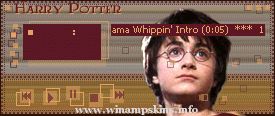
_ _ _ Harry Potter Skin - - - Missing 1.0 _ _ _
= = = Skin for Winamp, created by myrrh = = =
Finished Date : 0211.30 18.50
This is another one of WinAmp Skin made during my 'Chamber of Secrets' mania. Featuring 'The Boy Who Lives', Harry Potter. ...
Cup of tea
Large size
by Verónica Mogni
August 2006
Buenos Aires, Argentina
Spanish version below.
Versión castellana más abajo.
Part of pack Cup of tea containing:
Large size
Medium size #1
Medium size #2
Small size
Extra small size
...
A New Next Generation Soft skin release..
-Technical Waste
-A skin for Winamp v2.64+
-6/17/00
-Comments from author:
This skin was last seen & zipped up in
the MAXIMUM SOLITUDE skin as a preview of my upcoming work.
It was originally cal ...
Updates for WinAmp 2.9x
1) gen.bmp has a generic window frame for plugins to use.
its format is similar to the minibrowser's.
In addition gen.bmp includes a font for the titlebar, in both
highlight and no-highlig ...