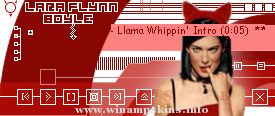
LARA FLYNN BOYLE - THE DEVIL INSIDE
(c) 2001 Neil Harvey
info-is@in-file
http://www.btinternet.com/~harveynj101/jonestown
March 2003 Upgraded to Winamp2.9 specification.
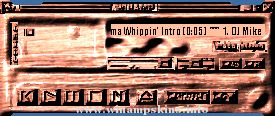
After using Lara Flynn Boyle after dark, the best image skin
ever by the wa ...
Obrigado por baixar este skin espero que goste.
Este skin e baseado nos aparelhos de som com estilo retro feitos com madeira sem nada de estravagante.
Eu procurei fazer um skin facil de usar e agradável para os olhos
Fiz o Stero One em uma semana com p ...
..: PROTOTYPE 1 :..
ver 1.0
Made by hEBBE 18 November 2000
info-is@in-file
It took about 6-7 hours to make this skin complete.
It´s made in a few simple programs.
Photoshop 5.5 + plug-ins & Paintshop Pro 5.5.. ...
[Normal]
; This region info generated by Winamp region.txt generator which is made by Maxim.
; http://winamp.mwos.cjb.net
; Note to skin authors: You can remove these comments so long as you leave one copy of the two lines above.
NumPoints=4,4,4,4,4,4 ...