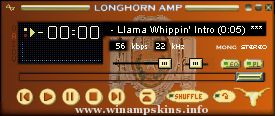
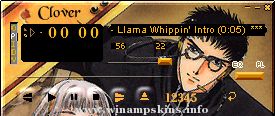
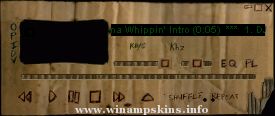
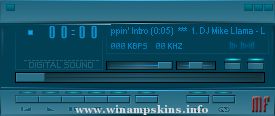
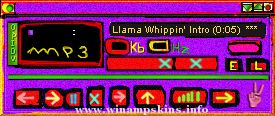
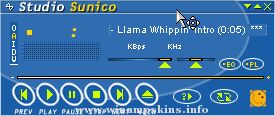
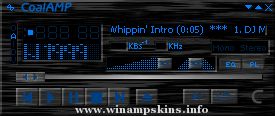
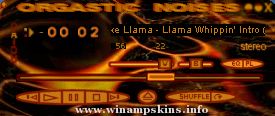
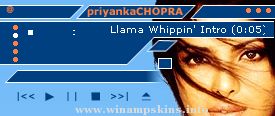
:: LCD3 ::
[winamp skin]
by JuaNN VENDRAMIN
made in October of 2005
Bs As :: Argentina
This is not my first skin but its the first time im happy with the results. I hope you enjoy using it as much as i enjoyed making it. Only the most common and most frecuently used components of winamp have been skinned, because i dont really like the plugins available for winamp, and i don't think they are necessary stuff.
This is what you get:
:: Main Window skinned
:: EQ window skinned
:: Playlist skinned
:: Mini Browser skinned
:: Video Window skinned
:: Library Window Skinned
:: Blue Custom Cursors made from scratch
:: Lots of fun! (don't ask)
All kinds of feedback are welcome, as long as you are kind and polite, it doesnt matter f you think the skin is awful, put it in respectfull words and i'll be more than happy to answer.
info-is@in-file
All rights reserved.
The distribution of this skin is prohibited without the permission of the autor. This skin is for private use and may not be modified, sell or altered in any way unless you have my permission.
Yamaha PoLogic Skin for Winamp:
Modified from the popular Yamaha DSP-A2 skin to match ProLogic
Yamaha amplifier's design.
Thanks to Steve for this nice Skin I've adapted...(see below)
YAMAHA DSP-A2 Skin for Winamp
This skin is based on Y ...
This skin was made with Photoshop and Jellby's Skinner's Atlas, for Winamp 5.2.
Marta Martins aka Encore
Email me --> info-is@in-file
Or visit my page @ DeviantART --> http://encore.deviantart.com
:) ...
Octovo - created by Jim Boynton
(c)copyright 2002, James L. Boynton
Free to be used with Winamp
This skin was created to look like the new
Winamp 3 skins. I like both Winamp 2 and 3, but
my computer has issues with XP so I use Winamp 2.
This ...
"The Tony Hawk Amp"
fanart/skin, 06/2003
by e-blackadder (info-is@in-file or info-is@in-file)
==========================================
Dedication:
The TH amp is dedicated to two guys. Firstly to my son, who is the biggest Tony Hawk ...
C2067
by Radiant Whisper
29.06.2006
v1.0 | 29.06.2006
* Skinned for winamp 5.2x.
* Skinned Main, Equalizer, Playlist, Video, Gen.
//USE THIS FILE ONLY TO REFERENCE THE PLEDIT COLORS
//
//
[Text]
Normal=#00FF00 //Color of the regular tex ...