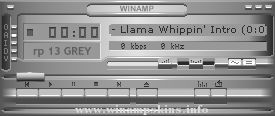
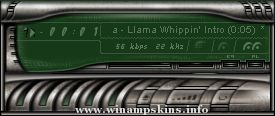
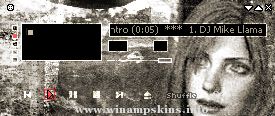
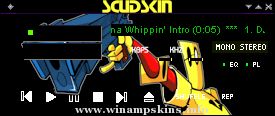
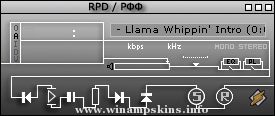
Sleek skin for Winamp - v1.0
By Jeremy Morton
================
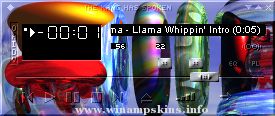
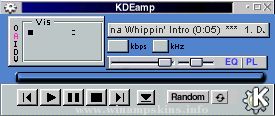
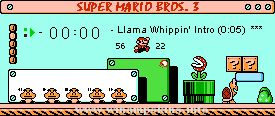
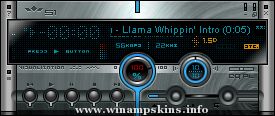
Sleek skin is a skin for Winamp 2.91 or lower (Winamp classic), a music player which can be found at www.winamp.com. To install it, simply open the .wsz file the skin came in.
I've tried to make this skin look clean and polished, as well as being clear and easy to use. Overall, a pleasant skin to have on Winamp, certainly superior to the original base skin, I think. This skin was actually pretty difficult to make well, owing to the diagonal fade, which is difficult to implement in Winamp; especially on the sizeable windows.
SKINNING NOTES
==============
Cursor explanations:
CLOSE.CUR: (Main Menu X)
EQCLOSE.CUR: (EQ Close)
EQNORMAL.CUR: (EQ Normal)
EQSLID.CUR: (EQ Up and Down Slides)
EQTITLE.CUR: (EQ Titlebar)
MAINMENU.CUR: (Main Menu Button-topleft)
MIN.CUR: (Main Menu Minimize)
MMENU.CUR: (Minimized Main Menu Button)
NORMAL.CUR: (Main Menu Normal)
PCLOSE.CUR: (Playlist Close)
PNORMAL.CUR: (Playlist Normal)
POSBAR.CUR: (Main Menu Song Position)
PSIZE.CUR: (Playlist Expansion Mode)
PTBAR.CUR: (Playlist Top Bar Cursor)
PVSCROLL.CUR: (Playlist Vertical Button)
PWINBUT.CUR: (Playlist Windowshade Mode)
PWSNORM.CUR: (Playlist Windowshade Normal)
PWSSIZE.CUR: (Playlist Windowshade Size Expansion)
SONGNAME.CUR: (Song Name Scroll)
TITLEBAR.CUR: (Main Menu Name Bar)
VOLBAL.CUR: (Main Menu Volume Balance)
VOLBAR.CUR: (Main Menu Volume Switch)
WINBUT.CUR: (Main Menu Windowshade Mode)
WSCLOSE.CUR: (Windowshade Close)
WSMIN.CUR: (WindowShade Main Minimize)
WSNORMAL.CUR: (Windowshade Normal)
WSPOSBAR.CUR: (Windowshade Song Position)
WSWINBUT.CUR: (Windowshade Exit Windowshade Mode)
The windowshade is the bar you get when you click the 'restore' button on the Winamp titlebar.
Use AFH Beveler (no version number) to create bevels.
The pixels in Genex.bmp, from left to right, specify the color for the following items in Winamp's API-generated windows:
1. Pane background
2. Pane text
3. Window background
4. Button text
5. Window text
6. Seperator
7. Playlist selection
8. List title bevel background
9. List title bevel text
10. List title bevel hilight
11. List title bevel lolight
12. List title padding
13. List title background
14. Scrollbar chequer background A
15. Scrollbar chequer background B
16. Scrollbar chequer hilight A
17. Scrollbar chequer hilight B
18. Scrollbar corner color
WinAmp Skin for version 2.x
Skin Title WA WinAqua
Created by MvHdesigns May 2002
If you feel free to comment on this skin, good or bad, then please send me an e-mail.
info-is@in-file
Marco Van Hirtum
MvHdesigns
The Netherlands ...
________________________________________
The Resurrection of Kaiser Bobo
________________________________________
The resurrection of Kaiser Bobo skin for WinAmp
was created by the all-powerful and wise, Bobo,
the eternal god of Meat.
You can ...
Volatile
PeaceMaker (c) 2002
..::..::..::..::..::..::..::..::..::..::..::..::..::..::..::..::..::..::..::..::..
v1.0
ABOUT
This is a skin that I carried over from my previous skin "Exile". Actually when I observe this one I think
it appears to be ...
This skin was made in a couple of days by Rasmus Winter
visit my website on www.angelfire.com/or/rible/
send any suggestions for improvements to info-is@in-file
I hope you like it ...