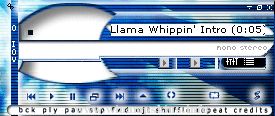
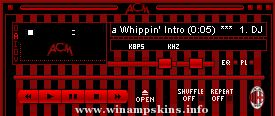
rince v.1.02! - Released: June 11th 1999 URL: http://listen.to/onlyme
TABLE OF CONTENTS
1. INTRODUCTION
2. INSTALLATION
3. ABOUT THE SKIN
4. CREDITS
5. CONTACT
6. UPDATES
1. INTRODUCTION
Hello! Thank you for downloading my skin, I hope you like it.
I like the colors of this skin! I find them relaxing, or something.
2. INSTALLATION
Just complete these easy steps below and everything should work just fine.
1. Copy "rince02.zip" to your winampskins directory.
2. Launch Winamp
3. Go to the option-menu and use the skin-browser (alt-s) to select the skin.
The skin is made for Winamp 2.21 and therefore the minibrowser is named "mb.bmp".
If you are using a version below 2.21 you will have to rename the mb.bmp to 12345678.tmp
3. ABOUT THE SKIN
This is my second skin, and it's named "rince".
Don't ask me why? I just asked a friend (kalle) for advice
and he came up with "rinse" which I changed to rince and used as
the name of this skin.
4. CREDITS
My girlfriend Jenny - support,
My friend Kalle - name
Other friends:
Henrik, Micke, Carl, Calle, Daniel, Mats,
David, and everyone I know. =)
5. CONTACT
Made by: raurus
E-mail : info-is@in-file
URL : http://listen.to/onlyme
6. UPDATES
v1.01 - 3 June 1999
v1.02 - 11 June 1999 (minibrowser details and color adjustments)
Ali G Big Up Amp for use with Winamp
Version 1.51 06/06/00
Info button added removed adjusted and finally added again.
Ali G cursors added (if ya don't like'em delete'em! -winamp will default to the ordinary cursors without them)
Winamp symbol on ...
"bloo plastik"
Began: October 6, 2002
Completed: October 6, 2002
I started designing this skin a couple of weeks ago. I decided to start it today (began date), and I finished it today as well.. It was an easy skin to make.. I am very proud of w ...
SKIN FROM WINAMP NFLSKINS
This skin was made to all who want's it.
I want to improve my skins so please send me a comment about it.
I'll be making 3 versions of everyone of my skins :
Version 1.X
Only the main window is skinned
Version 2.X
...
==================================================
Original Skin Data for Winamp
Flying Circle 2000 [World Edition]
Created by masa
Date Sep.16.2000
==================================================
Thanx for downloading this file.
This ZI ...