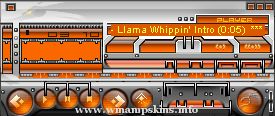
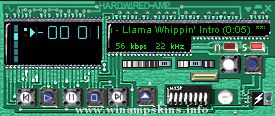
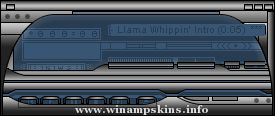
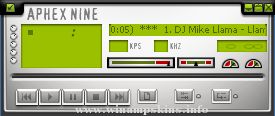
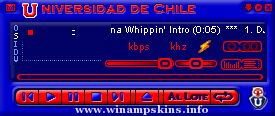
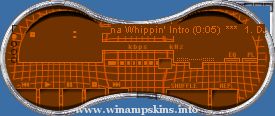
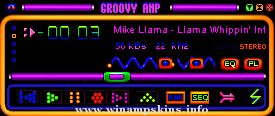
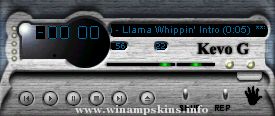
So you want a skin with areas that are simply put, transparent? Well, this is a highly tricky task. The file you need is called region.txt and the way to do it is a lot like playing connect-the-dots.
Region.txt provides a set of names such as Normal, WindowShade and so fourth. These set points define how many points make up each window. Another set defines how to draw the picture over Winamp.
Region.txt has 4 regions (the sets). They are delimited with the following tags:
[Normal]
[WindowShade]
[Equalizer]
[EqualizerWS]
Each of these provides a list that constist of two parts. The first gives the number of points that make up a region. The second is a list of the points used to make those regions.
The lines are:
NumPoints=
PointList=
The NumPoints list must be on a single line with comma separated numbers.
Example: NumPoints = 4, 4
Each number, x, says to read the next x points of the list and plot the region they define. The points list is comma seperated pairs of x,y co-ordinates. For example:
[Normal]
NumPoints = 4, 4
PointList = 0,1, 275,1, 275,14, 0,14, 3,15, 272,15, 272,113, 3,113
Defines two rectangular regions to be drawn. For more information read the comments in the region.txt file in the base skin. You will find a little more explanation in this file. The only item missing is the EqualizerWS group which is new and will be defined at a later time. "Normal" defines the regions drawn for the main window, WindowShade is the regions drawn in the windowshade mode. Equalizer and EqualizerWS are the same as above. Use the examples above to work out the other points.
Skew Amp
Created in May 2000 by Alex Fraser, in 3DS and Photoshop... so named because it has kindof skewed windows. As much as winamp would allow anyway.
I was going for very mellow colours, but i think i'll make a version with slightly different ones.
Feel free to distribute this, change it, whatever, but please give me some credit if you do : )
homepage: http://www.nettoilet.com/users/adfries/
Fatal - Polymetal Skin: Garet Jax
My Newest Skin! (a polymetal basically a blend of fusion + metal styles.)
----------------------------------------------------------------------------
I hope u like it, download and comments also appreciated.
Copy ...
----PARADOX v.1.0----
Creator:Kamil Kozlowski alias Coyote
Finished: 16th September 2000
First of all thanks
for downloading my latest skin!
Not much to say about it.
Just hope you'll like it!
Skins made by me:
Tech_amp 1.0 (not available on ...
April 2001
rp13 grey
Mein dreizehnter WinampSkin
Viel Spaß damit!
Was ich sonst noch mache:
POV-Ray, TakeONE und Sound Club:
http://home.t-online.de/home/porrey/
speziell TakeONE auf:
http://disney.comiccity.de/porrey/
Gruß Porrey
eMail: ...
Thanks for downloading this Adidas skin, modified from AdidasAmp by me,
Kyryll - info-is@in-file
Thanks to $teven - wilee.@ix.netcom.com - for creating the first black & white AdidasAmp.
This is a modified and better looking version with it's own cu ...
New Idea
-------------
By Andrew Mackowski, info-is@in-file
Thanks for D/L'ing!
http://home.pacbell.net/mackowsk
Also, Please don't post this skin on your site or use parts of it in your skin without my permission! Just ask me--I'll probably say ...
--- ARCTEC Special Edition [SE] v1.0 ---
A lot more different from ARCTEC v2.0
If you found any bugs or missing parts please e-mail me at
:: info-is@in-file
********* ...
Author:Fabrizio (info-is@in-file)
UIN:72774387
The old F@bryblueamp is back and it's brighter!
Hope you like this one more than the other
This is just the beginning........ ...