======= 1.stuttgarterfv1896 =======
Winamp Skin
by Siegfried Frech
www.pro-web-design.info
Stuttgart - Germany
============================
name - 1.Stuttgarter FV 1896
version 1.0
released on December 9th 2003
============================
e-mail - info-is@in-file
============================
http://www.pro-web-design.info
============================
all windows are skinned.
============================
I used Micrografx PicturePublisher and
Macromedias Fireworks to make
this skin.
============================
Thanks for downloading my skin.
============================
If you have any comment or suggestion
to tell me,
please mail me to:
info-is@in-file
======== Siegfried Frech =======
GILT amp - version 1.1 a
arpanoïd (c) France
design : KERGUEN Sébastien
info-is@in-file
april 26th, 2001
Skin for winamp 2.5 and above.
ENGLISH - ANGLAIS
This winamp skin is based upon an idea i
had while ...
My 3rd skin with transparency.
Enjoy!
Any sugestions, questions, or something like that: mail me at info-is@in-file
Marcin Skotnicki
info-is@in-file
http://republika.pl/moocker ...
- WEST COAST EAGLES AMP SPECIAL EDITION -
This skin is a limited edition version of my West Coast Eagles Skins.
It was made to coincide with the ten year anniversary of West Coast's
first premiership in 1992. This skin is created entirely by me, an ...
so here it is, my very first skin. if you'd like to know a bit more
about how have done it, keep reading...
simply put, i only had "paintbrush" to create this skin and let me tell
you i had to cut and paste so many times i got fed up and quit. and ...
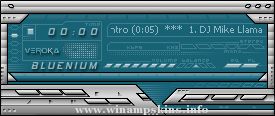
Bluenium classic v1.0
by Verónica Mogni
July 2006
Buenos Aires, Argentina
Spanish version below.
Versión castellana más abajo.
DO NOT pass this skin as your work.
DO NOT use elements of my skins for your own projects without my permission.
D ...