*******************************
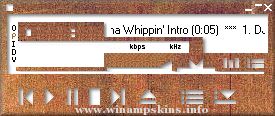
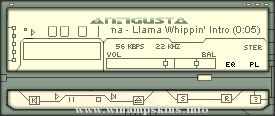
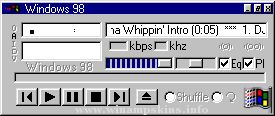
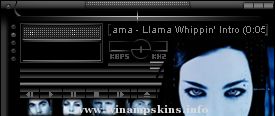
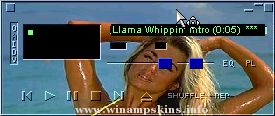
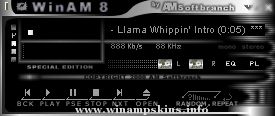
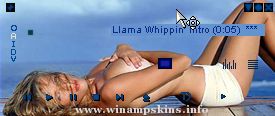
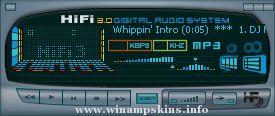
* UNO Winamp Skin Version 2.0 *
*******************************
Contents :
**********
# Comments
# Small FAQ
# Installation
# Contact me
# Thanks
---------------------------------
# Comments :
------------
HI, my name is Juan Pablo Rodofile (JPR for u) and this is my very first winamp skin.
I know it doesn't look very fancy or detailed but I think it's cute ;).
In this new version, you can see big changes to the player, EQ and Mini Browser but the Playlist stills the same (ugly:).
Yes I know, The minibrowser buttons sucks!
Comments are welcome.
To find out how to contact me go to the bottom of this readme file.
Thanks
# Small FAQ :
-------------
Q: What is UNO?
A: Uno it's a skin for Winamp 2.xx
Q: What is a Skin?
A: A skin is some kind of a "dress" for a program's GUI (Graphics)
Q: What is Winamp?
A: Winamp it's a great MP3 player (I'm sure you already knows it)
Q: Where do I get it?
A: Go to http://www.winamp.com
# Installation :
----------------
Winamp 2.04/+ Users :
"""""""""""""""""""""
Copy the ZIP file to you skin directory.
(Example "C:Program FilesWinampSkins")
Run Winamp and press ALT+S "Uno" should appear on the list,
select it, press "CLOSE" and that's it !!!! ENJOY !!!!!!!!
Winamp 2.00/01/02/03 Users :
""""""""""""""""""""""""""""
Uncompress the ZIP file to your Winamp skin directory.
(Example "C:Program FilesWinampSkins")
Run Winamp and press ALT+S "Uno" should appear on the list,
select it, press "CLOSE" and that's it !!!! ENJOY !!!!!!!!
# Contact me :
--------------
ICQ UIN : 2762268
E-Mail : info-is@in-file
HOMEPAGE : http://members.xoom.com/jpr/
Once again thank U !!!!!!
and please excuse my bad English.
# Thanks Goes to:
-----------------
- (your name here:)
- All my dear friends
Macci, thiago, choca, Marianete, etc.
"bloo plastik"
Began: October 6, 2002
Completed: October 6, 2002
I started designing this skin a couple of weeks ago. I decided to start it today (began date), and I finished it today as well.. It was an easy skin to make.. I am very proud of w ...
Skin name: FOWL 7
Version: Simply so
Category:
My name : Vulf
E-mail: info-is@in-file
Coments: This is my 10 skin.
This skin has been created with
Corel Photo-Paint 10 (thanks to Corel) ,
Microsoft Paint 5.1
WinRar archi ...
"bloo plastik"
Began: October 6, 2002
Completed: October 6, 2002
I started designing this skin a couple of weeks ago. I decided to start it today (began date), and I finished it today as well.. It was an easy skin to make.. I am very proud of w ...
======================
|| COMPAS'N RACINE ||
======================
Jeamsy Lay
HELLO!
It is my first skin. And that took
me one month for achieved it.
I would want to made a skin, a truth. And
well I am ...
---------------------------------------------
Lacrimosa v.2
---------------------------------------------
Greetings to all Lacrimosa fans!
I congratulate you all with the new album "Echos" and give you my second Lacrimosa skin. The next one will ...
[MARON]
AnalyzerMode=1
BlendMethod=0
Ratio=100
Peaks=1
Rain=1
Enable=1
Bands=0
'Aerith' created by Miriya on the 3rd December 2001. Uses plugin's (asp, maron, sexyfont and glam pad) You can get these of my webpage located here....
http://www.use ...
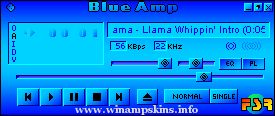
BLUE AMP - Um "Skin" para Winamp
================================
version 1.0
Criador: Fábio da Silva Ribeiro
E-Mail: info-is@in-file
++++++++++++++++++++++++++++++++
BLUE AMP - Skin for Winamp
================================
version 1.0
Cre ...