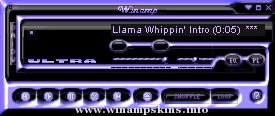
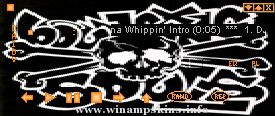
[MARON]
AnalyzerMode=1
BlendMethod=0
Ratio=100
Peaks=1
Rain=1
Enable=1
Bands=0
'Aerith' created by Miriya on the 3rd December 2001. Uses plugin's (asp, maron, sexyfont and glam pad) You can get these of my webpage located here....
http://www.users.globalnet.co.uk/~miriya/
To find the plugin's you must go into desktop, then winampskins, then plugin's ^_^
Also this skin has a movie, if you downloaded this from 1001winampskins, you won't have the movie. You can download the movie here...
http://www.users.globalnet.co.uk/~miriya/files/movie.zip
Just extract the movie.bmp to your copy of Aerith skin, and replace the asp.txt.
[Advanced Skin Plug-In]
Image.Background.X=-201
Image.Background.Y=-268
Image.Window=0
Image.Transparent=0
Image.Background.Filename=asp.bmp
Image.Pattern=-400,3,60
Winamp.Equalizer.Visible=0
Winamp.Main.Visible=1
Winamp.Equalizer.Position.X=275
Winamp.Equalizer.Position.Y=-145
Image.Hover.Filename=asp1.bmp
Winamp.Control.Previous=216,134,237,147
Winamp.Control.Play=237,153,258,165
Winamp.Control.Pause=211,175,232,187
Winamp.Control.Stop=236,191,257,203
Winamp.Control.Next=211,217,232,229
Winamp.Control.Eject=245,227,266,239
Winamp.Control.Close=444,113,453,122
Winamp.Control.Minimize=431,113,440,122
Winamp.Control.Preference=60,113,81,134
Winamp.Control.PL=224,247,245,259
;glamorouspad.txt
[GlamorousPad Plug-in]
Window.Size.Width=275
Window.Size.Height=210
Font.Face=Blackmoor LET
Font.Point=10
Option.WatermarkSkin.BG=gpad1.bmp
Option.WatermarkSkin.FG=gpad2.bmp
Font.Color.Play=#AF0D25
Font.Color.Select=#650413
Font.Color.Normal=#CF8994
[YunaSoft SexyFont Plug-In]
;
FontBold=0
FontItalic=0
FontFace=Blackmoor LET
FontSize=10
;
FontBoldDouble=0
FontItalicDouble=0
FontFaceDouble=Blackmoor LET
FontSizeDouble=28
;
Transparent=1
TransparentInfo=1
TransparentTime=1
AutoAdjust=1
Shadow=1
;
Alpha=1
AlphaInfo=1
BlendMethod=0
BlendMethodInfo=1
OpacityInfo=0
Opacity=100
OffsetTop=2
OffsetRight=-40
OffsetLeft=0
LockSeekBar=1
This folder contain cursors for your InsomniAmp 1.1.
To use these cursors with your InsomniAmp skin, simply put them
in the same folder as he rest of the InsomniAmp files.
(Which is probably namned InsomniAmp 1.1).
In this folder you can also find a ...
"bloo plastik"
Began: October 6, 2002
Completed: October 6, 2002
I started designing this skin a couple of weeks ago. I decided to start it today (began date), and I finished it today as well.. It was an easy skin to make.. I am very proud of w ...
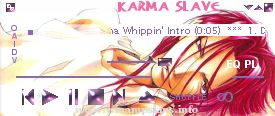
"Karma Slave"
by Heyoka
Completed: 05/28/01
Subject: Sha Gojyo from the manga/anime Saiyuki by Kazuya Minekura
Description: I called the working file "wetslutgojyo". I think that says it all. :D
Tools: Paint Shop Pro 6 w/Super Blade Pro
Th ...
SKETCH________________________________________________________________
This is my first Winamp Skin.
to install...
- Create a subfolder in WinAmp/Skins/ directory ("Sketch" for example)
- Copy all the files into it
- Open WinAmp
- Menu (top-left ...
Winamp v1.0
By James Ness
--------------------------------------------------------------------
Hey! This is Nessy with my sixth commercially done skin!!
I hope you like it, I think it looks ace and I hope the people at Nullsoft think it rules too!
...
Stu On This Classic Winamp Skin
by Stu Kendrick
2004 - for Winamp 2.0 and up (I think)
Go visit www.StuOnThis.com - my webcomic (rated WEB MA)
Winamp rawks!
[Text]
Normal=#FFFFFF
Current=#BBD2FF
NormalBG=#1C3D7D
SelectedBG=#6788C9
Font=Arial ...