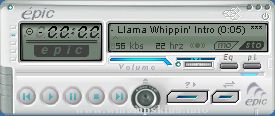
Imperial Assault v1.0 January 28, 2000
By Stephen Leck
This is my first WinAMP skin, so I hope you like it. I plan on making a few more skins in the future, though I
don't always have the time for it. If you have any questions, comments (i.e. how you liked/disliked this skin),
or general ideas about this skin or skin making, please feel free to contact me by e-mail at info-is@in-file.
Resources for this Skin: Star Wars: Behind the Magic
Star Wars: Yoda Stories Icons
Fonts Used: Aurubesh
Square721 BdEx BT
Arial
Art Programs Used: Paint Shop Pro 6
Adobe Photoshop 5.5
Other Programs Used: EasySkin (for small text and viscolor only)
Winamp TransTrace (tranparency)
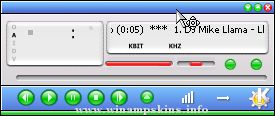
27® Green - A skin by Midhun Subhash
-----------------------------------------------------------
This is the green tinted version of the 27 series. Built to remain simple, elegant and functional.Feel free to mail me your suggestions at: info-is@in-fil ...
>
Winamp 2.x skin
By: Stephan Hoekstra aka AmpBurner (info-is@in-file)
Other skins by Ampburner:Smirnoff Vodka Power Amp 2000
Bacardi V1.0
SNIPeAMP
The Idea of Snipeamp came from playing Unreal Tournament. One day I
woke up and thought ...
In a realm beyond sight,
The sky shines gold, not blue.
There, the Triforce's might
Makes mortal dreams come true.
~The Book of Mudora
--------------
ZeldaAmp Special Edition: Gold Cart
So I was thinking to myself, hey, ZeldaAmp1 is a good skin, ...
This is my first skin. The next one must be better.
Hope you use and enjoy it.
It has a East Egg title!
My name: Sam Leex(Lixiang)
Email: info-is@in-file ...