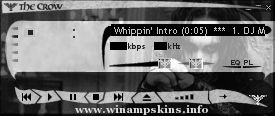
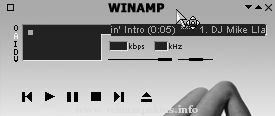
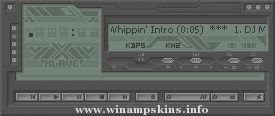
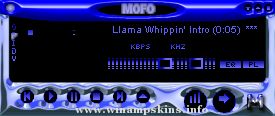
,Chainz v 2 ,Laetitia\ Casta\ v2 ,Iris Awakening ,resubmitted K Aus 038 ,special set ,After Shock Analog ,KreaTeeVee The Alternative Media ,s FUTECH v1 0
v1.05
Blue 3051 was created by Rik Schennink.
Program used was Adobe Photoshop 5.0.
And Bryce 3D.
Written below is everything that has been fixed since
the first release v1.00.
____________________________________________________________________
MiniBrowser now available to.
Made some grey lines dissapear.
Made some other grey lines (only visible on verry bright screens)
dissappear.
Fixed EQ the plus and minus 20 where switched.
Made the missing button on the playlist
Made new easteregg if you haven't seen it you should
check it out now.
Now I have included EQ windowshade mode. for people
who have it enabled all the time. You shall not be able
to access the EQ windowshade mode with my skin you'll have
to use another one for it.
____________________________________________________________________
I hope you like this skin as much as I do.
Any comments can be mailed to : info-is@in-file.
Copyright 1999 by Rik Schennink, you must ask my permission
if you want to distribute this skin.
"bloo plastik"
Began: October 6, 2002
Completed: October 6, 2002
I started designing this skin a couple of weeks ago. I decided to start it today (began date), and I finished it today as well.. It was an easy skin to make.. I am very proud of w ...
This skin is a tribute to the best modern synthpop band of today, Iris.
Everything on this skin was made by me, Pencilgod, excluding some of the band pictures. Everything standard is skinned for Winamp 5, excluding cursors. That means that the Minibrows ...
K-Aus 038 Amp Build 2 (9/24/05)
Created by Kyllian
Work in progress so stfu
Second version of K-Aus 037
If you think this is pretty good work, remember this, about 90% of this skin I figured out on my own, no asking for help, no tutorials, no sk ...
"special set"
skin for WinAMP 2.9x
version 1.00
--> skin made by
I)estym / sergey danushin
summer-autumn 2003
--> the skin is designed for WinAMP 2.91. It should work properly with other 2x versions, up to WinAMP 2.95
--> features
1. skinne ...
.......................
[ A F T E R S H O C K ]
·······················
[ F L Y E R - 2 0 0 0 ]
·······················
······· Ver 1.0 ·······
Created by FlyEr (A.K.A. WarpFlyght). All rights are reserved. No one
besides winamp.com a ...
ARCHEE'S FUTECH v1.0
for Winamp v2.6 or higher
DESIGNED BY:
(c) 2000 Archee electronic art
Arteym Tatarov
version released - May 10 2000
FEATURES:
skin features all windows and windowshade modes
special futuristic a ...
--------------------------------------------
Skin Creado Por Ivan Palacios
--------------------------------------------
Dedicado para Andrea Valencia La dueña de mi
corazon
tttttttttt tttttttttttt tttttt tttttt
tttttttttt tttttttttttt ...