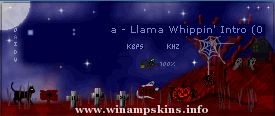
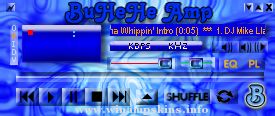
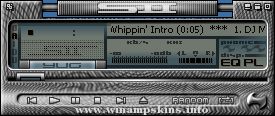
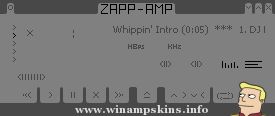
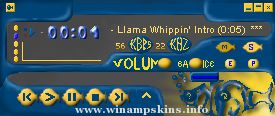
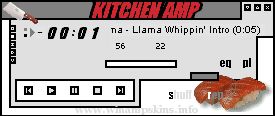
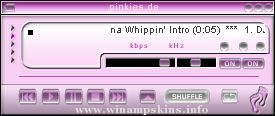
SKIN NAME: Gizmos MP3 Player
SKIN VERSION: 1.1
DATE CREATED: JULY 28, 1999
UPDATED : AUG 11, 1999
SKIN DESIGNER: JazzMidi
EMAIL: info-is@in-file
-=-=-=-=-=-=-=-=-=-=-=-=-=-=-=-=-=-=-=-=-=-=-=-
SKIN NOTES:
Skin should be viewed with 24bit colors or higher.
A some what dark background is also recommended.
DISIGNER NOTES:
GMP skin placed 2nd place in the first held
winamp skins competition hosted by: SkinDepth.
WebSite: http://skindepth.com
GizmosMP3Player Received 13 points out of 16.
Third place skin: AmpTech 3 - Wood Edition
by: $teven - Received 11 points out of 16.
$teven - wow! that's a great looking skin.
First place skin: Steamgoth by: Kig
Received 14 points out of 16.
kig - Outstanding job on your skin. I love
that rust look. =) how did you do that?
For those who own the program "Gizmos98" you
will notice the base graphics from the launch
pad. I know it's not perfect but it's pretty
close I think. I love the program and I
thought it would be fun to create a winamp
skin for it. I put a lot of work into this skin
and I'm 98% happy with the end results.
What I like about winamp is the customize
features. You can setup winamp to use
truetype fonts for the main window to match
the playlist -vs- the supplied bitmap font.
In "options/preferences . . .
Options/Display
Just uncheck:
"Use bitmap font for main title display"
and the main window will now use the
truetype font specified in the "pledit.txt.
I love that feature. :) Thank you Justin.
-=-=-=-=-=-=-=-=-=-=-=-=-=-=-=-=-=-=-=-=-=-=-=-
INSTALLING WINDOWS FONT:
Copy the "pengltn.ttf" to c:windowsfonts
then open the "pledit.txt" and edit
the following:
[Text]
;Font=Arial
Font=PenguinLight
Place a ";" in front of Font=Arial and delete
the ";" in front of Font=PenguinLight
if you don't like that font then just
replace that line with any font of your
choice.
-=-=-=-=-=-=-=-=-=-=-=-=-=-=-=-=-=-=-=-=-=-=-=-
ACKNOWLEDGEMENTS AND SHOUTS:
To WinAmp Staff - Thank you for making the best
(IMO) mp3 player. Keep up the great work.
Good luck with WinAmp v3.0
To SkinDepth Crew - Thank you for hosting the
first ever WinAmp Skin Competition. Hope you
guys host more skins competition's in the
future. I really had fun.
To kig - Congratulations on winning the first held
winamp skins competition.
To All you awesome skinners - and you know who you
are. The skinning community would not be the same
without you. Keep those great skins coming.
To Pisces - Your the best friend anyone can have,
thank you for your wisdom. Nice to see you back
on-line. =) xxoxxoxo
To Zoommo - You know what time it is cause UDA:
**WILLIAMP**
v.1.02
Made by Geoff Lee '04
--------
If you think Williams College rocks or you thinks Amherst sucks, or if like any responsible citizen you think both, this skin is for you.
--------
**Featuring**
--------
-Our sublimely kicka ...
CHANNEL ONE RUSSIA
Russian TV WinAmp Skin
designed by Dmitry Shutov
http://www.1tv.ru/banners/
If you like music and are a fan
of Russian TV, we are glad to offer you
a unique skin for your WinAmp
music player. Hope you ...
DMX AMP - skinned by brothaman2000
My 1st skin of DMX, this is for all the DMX fans ARF!ARF!ARF!
Name: X Amp
Release Version: v1.0 (1st release in GREENtrancetheme)
File format: BMP
...
------------------ YAMAHA SUITE VERSION 1.2 ------------------
Hi Here is the latest version of my Yamaha Skin ..I have just added the mikroamp skin this time.. I haven't modified anything else on the skin mainly because I made it for myself and I like ...
'''''''''''''''''''''''''''''''''''''''''''''''''''''''''''''''''''''''''''''''''''''''''''''''''
Name: Carbonate 2
Author: Jocpoc (faldesign)
Timeline: 1.5 weeks
Info: Well, it's here. A remake of my third skin I'll "Carbonate". I couldn't be m ...
____________________
EUPHORBIA TRIGONA
1914 v. 5.0
____________________
Creator : Marek Wojtal
Skinname : 1914
Version : 5.0
Updated : 13 of June 2000
E-mail : info-is@in-file
Changes in v.5.0 :
AVS added. Windows-shaded-mode recheck ...
Skin: Iron Chef
Author: jjpotter
Inspiration: crazy Japanese cooking competition
Assistance: Input from our friends at the Skinlove Forum
If you haven't seen the show, watch it, if only just once. It will make you a better person.
Hope you like th ...
*************************DARK SPECIES 1.00 AMP*************************
Contents:
1. Dedications
2. Installations
3. Comments and Ideas
******************************DEDICATIONS******************************
This Skin is dedicated to my Dark R ...