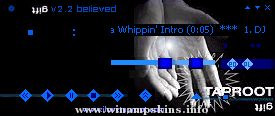
Bloodfire Chrome v1
By: Dave "Bloodfire" Hudson
December 4, 2003
Progams Used:
Corel Photopaint 11 - Skin Artwork
Microangelo - Cursors
Other Skins:
Teal Steel
Bfire_100
Bfire_100i
Mechanikill v1
Notes:
So far my favorite WinAmp Skin creation. Not much to tell about it. I wasn't inspired by anything, I just wanted something chrome and red....so here it is. Enjoy!!
Installation:
Place BloodfireChrome.wsz file into winamp skins directory, usually c:program filesskins.
Open BloodfireChrome.wsz file with winzip, (www.winzip.com, right-click file-> open with winzip), locate BloodfireChrome_01.avs and green_neb.bmp and extract to winamp avs directory, usually c:program fileswinamppluginsavs. Read instructions for activating visualizations to launch BloodfireChrome_01.avs.
Legal Stuff:
All artwork is mine and should be treated as such. If you like my work or would like permission to use it, please email me and let me know..(info-is@in-file)
minibrowser
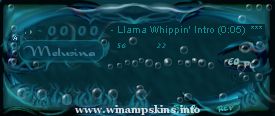
"Melusina" V1.0 Feb 24 2003 by ~dimichan~
Second in tragic mythology series, first being "Persephone"
Created with Photoshop 7, cursors created in microangelo
Time to create - not a clue, at least 60 hours
Pleas ...
Extravagant Amp: Homestar's Party
Skin by Doggy Dog
Remix by flatmatt
Version 1.01
May 15, 2004
========================================
Doggy Dog says:
A long time has passed since I made the 2.5 version. Then I thought it was finished and ...
This skin was made by Adam Stevens. E-mail me your comments at info-is@in-file and visit my homepage at http://www.students.uiuc.edu/~acstevns/
This skin was made using Adobe Photoshop 5.0 and a little imagination. ...
Coppied from winamp/wa_dlg.h from the Winamp 2.9 ML SDK.
1) gen.bmp has a generic window frame for plugins to use.
its format is similar to the minibrowser's.
In addition gen.bmp includes a font for the titlebar, in both
...