[Text]
Normal=#8299B1
Current=#ffffff
NormalBG=#000010
SelectedBG=#303030
Font=arial
Skinmaster : Ely J. Ocbina
e-mail : info-is@in-file
[Text]
Normal=#183C65
Current=#8299B1
NormalBG=#000010
SelectedBG=#C0CAD2
mbFG=#00AEEF
mbBG=#000000
Font=arial
Skinmaster : Ely J. Ocbina
e-mail : info-is@in-file
[Text]
Normal=#183C65
Current=#8299B1
NormalBG=#000010
SelectedBG=#C0CAD2
Font=arial
Skinmaster : Ely J. Ocbina
e-mail : info-is@in-file
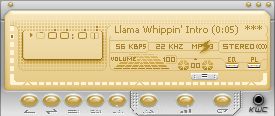
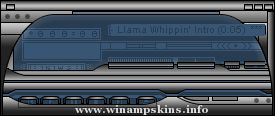
i-deck v1.0
=============
All images were skinned using Photoshop 7.0, Service Utility, Skinner Utility.
History:
05-20-2003 Uploaded
- All Main Components skinned,
- All Winshade mode skinned
- Support for AlbumList plug-in (www.cometo/albumlist)
- Support for WA2.9 Media Library and Video
- Supports WinAMP below 2.9, AVS.BMP not Included
05-26-2003
- genx.bmp, change color
- pledit, readable on dark monitors
- library, readable on dark monitors
- vicolor, modified
- albumlist, readable on dark monitors
Author: ely ocbina / e_ocbina
e-mial: info-is@in-file
Trademarks:
Winamp is a registered trademark of nullsoft, Inc.
Adobe Photoshop is a registered trademark of Adobe Systems Inc.
Windows XP, Microsoft, Windows and Windows Logo are trademarks of Microsoft Corp.
=======================================================================
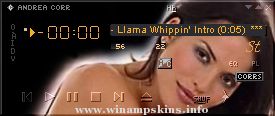
Andrea CORR v.2.32 by SamHh
=======================================================================
Salut, moi c'est SamHh !
Ceci est une "skin" d'ANDREA CORR, la chanteus ...
---------------------------------------------
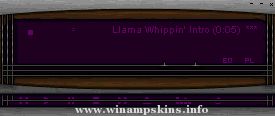
-------=( INSOMNIAMP for WINAMP 2.x )=-------
---------------------------------------------
- When your PC is more important than sleep -
---------------------------------------------
------------------ ...
60 n' Tech
for Winamp 2x
Created By : Project Micah
Contact : info-is@in-file
Date : January 10th, 2001
This is my second skin.
I had fun putting this one together as a sort of 3d slim on Technical steel.
What else can I say? Enjoy!
...
April 2001
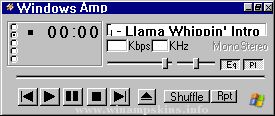
rp13 grey
Mein dreizehnter WinampSkin
Viel Spaß damit!
Was ich sonst noch mache:
POV-Ray, TakeONE und Sound Club:
http://home.t-online.de/home/porrey/
speziell TakeONE auf:
http://disney.comiccity.de/porrey/
Gruß Porrey
eMail: ...
---------------------MarinAmp Grey v1.5---------------------
-----------------------by josé marín------------------------
------------------------------------------------------------
This is for people who doesn't like the yellow version of
MarinAm ...
ReadMe! Fatal Encounter v1.0 for WinAmp
-----------------------------------------------------------
Hi all. There's a nice story behind the skin, so that will be the first thing. Here goes:
I just thought I finished this skin, so I've put the skin ...
Tori Amos in black and white
by Nini
***************************************************
a looks somehow naked, doesn't it
so here's my skin info:
* I love Tori's Under the Pink (who doesn't?)
* so I thought I could make a skin of it
-past the m ...