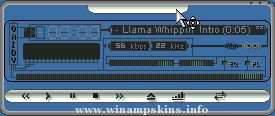
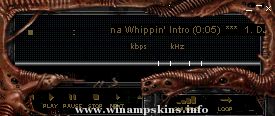
Cobalt Coruscus
---(c) tydogg---
Thanks to everyone at the
winamp skin forums for their help.
This one took me a long time.
All windows skinned
v1.01
fixed some minor graphical errors
smoothed out eq slider animation
added cbutton labels
changed balance slider to fit better with rest of skin
v1.02
more labels added
eq given major framing reconstruction
02/10/05
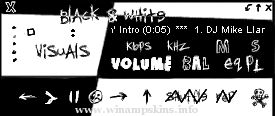
Black And White
By El*ArGeNtO
This is my second entry for the Monochrome Classic Contest at winamp forum(skinlove) http://forums.winamp.com
This is a kind of retro skin, hope you like it...
It's a bit scruffy but i like the style :D
...
New Day Dawning v1.7
by Radiant Whisper
08.08.2005
v1.0 | 09.02.2002
* Skinned for winamp 2.x.
* Skinned Main, Equalizer, Playlist, AVS, MB.
v1.7 | 08.08.2005
* Skinned for winamp 5.09.
* I gave the skin some extensive plastic surgery -- s ...
SHARP DIGITAL V1.0 by Mustafa Calisir
Built 8 June 2001
Thanx for downloading this file.
Email: info-is@in-file
My first skin...
THANX...
Sharp co. Adobe Photoshop & Nulsoft or everyone...
Copyright (c) by 2001 Mustacal
Is ...
Sepish - Skin For Winamp
version: 1.2 (06-02-2000)
author: Kauko Mikkonen alias KaMi
Thank you for downloading this skin.
Transparent skin for Winamp, I just wanted to know is it possible to make a round skin... Yes, but some parts will be miss ...
triumh winamp skin v.1.0
---------------------------
well, it has been a while since my last winamp skin, but now im back again.
-->| www.v3nomskins.cjb.net | ...