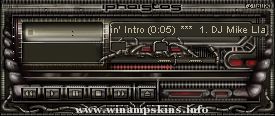
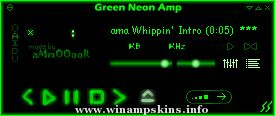
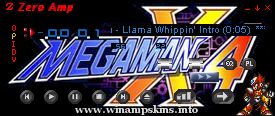
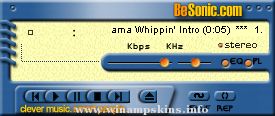
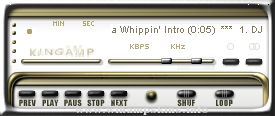
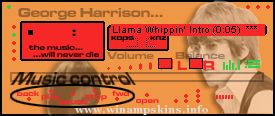
Hi! You seem to have downloaded my Mario Brothers winamp skin! I have nothing interesting to say, so this is a lousy readme file! Stop reading it and go use my winamp skin!
info-is@in-file
Update: The special edition
This is now the "Classic Mario" winamp skin, with all areas skinned!
(cursor not included.) Admittedly, it's way to busy. Deal with it.
-Perpenvertiagonal Planes
-by Colldawg101
-Do not distribute
My second winamp skin
There is a simple avs in the skin file. Put it in your avs folder!
Skinned:
Main
Equalizer
Playlist
Minibrowser
AVS
Mikro
Cursors
...
Titanium_stereo_amp V2.01 (13-08-2001)
----------------------------------------------------------------------
This skin is BASED on Pordey's design, (Pordey is at info-is@in-file)
but almost EVERYTHING was changed except for the basic button desig ...
This Skin is My Second Stylished Skin.I hope you like it
This skin was TOTALY made in Microsoft "Paint"(R)(without photoshop) and "notepad"(R)
.·´¯`·._.·´¯`·._.·´¯`·._.·´¯`·._.·´¯`·._.·´¯`·._.·´¯`·._.·´¯`·._.->
This Was Wri ...
Just to prove I can still make game skins better than anyone else :p
Even if this isn't my best work, it's good practice.
-LuigiHann(at hotmail dot com)
For old-school side-scrolling action, arrange the windows horizontally, a la Main-EQ-Playlist-o ...
--[ TopazAmp v1.3 ]--
about this skin
==========================
(for v2.x of Winamp)
This is my first attempt at a Winamp skin, based on the design of my web site.
-- some bugs from v1.0 fixed
-- thanks to Wolf [http://surf.to/guf, info ...
[MP3CUE]
Plug-In by: Guerillasoft (www.guerillasoft.com)
Skin designed for version: 0.9.4
Note: Plug-In is not a part of this skin package!
How to install a skin for MP3Cue?
It's simple. Just copy the content of this folder (MP3Cue Skin) to 'winam ...
_.:~ m-pulse v1.1 ~:._
> for Winamp 2.x > May, 2001
> By PeaceMaker (Mike McKimm)
> (c) copyright 2001
> www.geocities.com/behnster
_.:~ About ~:._
> i made this skin after several months of looking
at several skins (no names m ...
//USE THIS FILE ONLY TO REFERENCE THE PLEDIT COLORS
//
//
[Text]
Normal=#00FF00 //Color of the regular text (Playlist).
Current=#FFFFFF //Color of the current track text (Playlist).
NormalBG=#000000 //Background for normal text (Playlist).
Selec ...