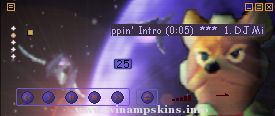
Peanuts - 'fe2o3' - MBinner
Creator: info-is@in-file
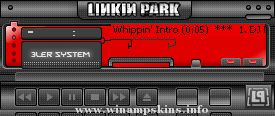
Skin Name: fe2o3
Created: November 2001
Dedicated To: Aquila Blue
Updated: Never
___ All windows and cursors skinned. ___
Winamp Version: 2.0 or higher
Paint Program: Adobe Photoshop 6.0
Web Page: http://www.naoneo.com
This skin was created over the space of two days for the one i love, Aquila blue
Please do not Copy or Rip this skin, as in doing so, and trying to publish your work, you will be wasting your time
as now, all ripped skins are removed from winamp.com, if you would like to commant, suggest or shout about this skin, please do so at the following addresses
Abuse : info-is@in-file
Praise : info-is@in-file
Comments: info-is@in-file
Suggestions: info-is@in-file
Requests: info-is@in-file
_ Naoneo _
THANKS TO!
Lucid Dream - Skin support and suggestion
Skinlove forums - YOU KNOW WHOME YOU ARE!!!
#AVSchat :D you guys rock
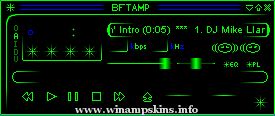
Tronics Amp
created by: Brandon O'Brien
completion date: July 27, 2003
email: info-is@in-file
website: http://www.trancetronics.com
This skin has been a small project of mine to occupy some of my spare time. I got the name Tronics from my websi ...
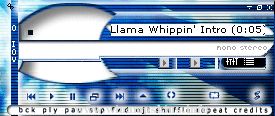
"bloo plastik"
Began: October 6, 2002
Completed: October 6, 2002
I started designing this skin a couple of weeks ago. I decided to start it today (began date), and I finished it today as well.. It was an easy skin to make.. I am very proud of w ...
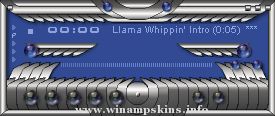
-=[Liquid Paradise]=-
By Stephan Hoekstra AKA Ampburner
(info-is@in-file)
My latest and prolly final winamp 2.x skin.
I'm gonna keep my big mouth shut, and let
you enjoy it!
TO ALL SKINNERS!
Here's the deal: if you like my skin and
would l ...
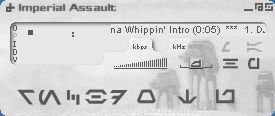
Imperial Assault v1.0 January 28, 2000
By Stephen Leck
This is my first WinAMP skin, so I hope you like it. I plan on making a few more skins in the future, though I
don't always have the time for it. If you have any questions, comments (i.e. how ...
"bloo plastik"
Began: October 6, 2002
Completed: October 6, 2002
I started designing this skin a couple of weeks ago. I decided to start it today (began date), and I finished it today as well.. It was an easy skin to make.. I am very proud of w ...