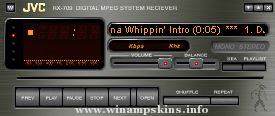
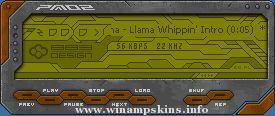
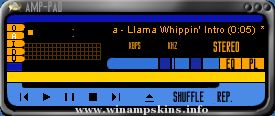
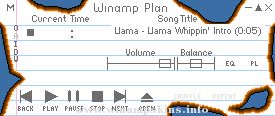
Template Amp
Version 1.1 by Mischa Klement
- Shows exact position of all sensible areas
- Uses gray scales only for easy semitransparent template layers
- Has a 10 x 10 pixel grid as background for easy positioning
- No 3D effects for easy borders finding
- The bmp files help you deal with bugs and borders of all areas
- additional bmp files to help you design and crop your skin
skeleton.bmp - use this as design layer
frames.bmp - use this to crop in your grafix program
crop.bmp - use this to crop in MS Paint when creating the skin's bmp files
Template Amp version history
v1.0 published 2001-07-12 at my own web site
skinned Main, EQ, PL, MB, (AVS taken from flattmatt)
skinned MikroAmp
skinned DFX
skinned inner MB area
v1.1 published 2003-05-02 at WinAmp.com
added WinAmp 2.9x features, please refer to genexinfo.txt
Greetings and thanks to:
lentia
Mr Jones
THEMike
Jayn
ampburner
bullGawD
cappy
chiquita chad
e-blackadder
flattmatt
garetjax
mrsbladez
nini
simon snowflake
skinme!
the only lynx
wildrose-wally
... and all the other gals'n'guys at Skin Love ;-)
(c) 2003 Mischa Klement aka cyana info-is@in-file
THE OMNIS L/B www.omnislab.com
enjoy !
cyana
mbboxster
Version
1.0
(c) 2001 Mischa Klement
created with Macromedia Fireworks 4.0
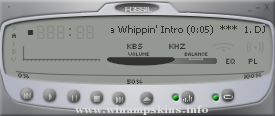
MikroAmp skinned
DFX skinned
enjoy
cyana
info-is@in-file
www.omnislab.com
Updates for WinAmp 2.9x
1) gen.bmp has a generic window frame for plugins to use.
its format is similar to the minibrowser's.
In addition gen.bmp includes a font for the titlebar, in both
highlight and no-highlight modes. The font is variable width,
and it uses the first color before the letter A as the delimiter.
The no-highlight form of letter must be the same width as the
highlight form.
2) genex.bmp has button and scrollbar images, as well as some individual
pixels that describe the colors for the dialog. The button and
scrollbar images should be self explanatory (note that the buttons
have 4 pixel sized edges that are not stretched, and the center is
stretched), and the scrollbars do something similar. Template Amp clearly
marks these areas, so there should be no problem.
The colors start at (48,0) and run every other pixel. Template Amp groups
these pixels for a better overview; also, the selected colors are intended
to be identified more easily, and not a real aesthetical experience.
The meaning of each pixel is:
x=48: item background (background to edits, listviews etc)
x=50: item foreground (text color of edit/listview, etc)
x=52: window background (used to set the bg color for the dialog)
x=54: button text color
x=56: window text color
x=58: color of dividers and sunken borders
x=60: selection color for listviews/playlists/etc
x=62: listview header background color
x=64: listview header text color
x=66: listview header frame top color
x=68: listview header frame middle color
x=70: listview header frame bottom color
x=72: listview header empty color
x=74: scrollbar foreground color
x=76: scrollbar background color
x=78: inverse scrollbar foreground color
x=80: inverse scrollbar background color
x=82: scrollbar dead area color
"bloo plastik"
Began: October 6, 2002
Completed: October 6, 2002
I started designing this skin a couple of weeks ago. I decided to start it today (began date), and I finished it today as well.. It was an easy skin to make.. I am very proud of w ...
Winamp.com Themed Skin
Side development of Dark Green Evo B
AVS Video and Mb skinned, but not checked for bugs.
Text taken from website, as are colours, and small graphics.
Not original colours etc but original idea!
Any feedback or suggestions w ...
NatAmp 3.0a "Pearls and Gold" by MonkeyGoD
-------------------------------------------
I got so many nice emails in the last six months about
my NatAmp2.0 green skin that i decided to make another. This time a more complex skin, w/ a luxurious pearl an ...
4/06/04 ::
*~ This Skin Is The Result Of Mixing 2 Of My Skins. Virtual Winter And Green Dimension.....It Was My Entry For The Guiolympics 2004.....
I Didnt Win Anything.....But It Was Fun To Participate :D......No Luck For Our Team....There Were Too M ...
--[ EPSILON ]--
================================
Winamp Skin by Magnolia Arte y Diseño
================================
About this skin
===============
The Skin from Epsilon Eridani shows the traces of many light-years of navigation.
Do you ...
UglyMetal:
________
"UglyMetal and Candy Things"... es el nombre verdadero y de los skins que hice es el que mas me gusta. Hecho en Image Composer (http://www.imagecomposer.com.ar) me quedo una joyita, a ver si la gente de Winamp.com/Skins se pone las ...
Fire - Faust v 0 0 0 1
-------------------------------------------------
Wazzup! This is my newest skin. In collaboration with Pe@cemaker we are both releasing two skins
that are similar in some looks overall but, ahve completely unique feel and style ...