Diablo II® - Amp Of Destruction
By: Dave "Bloodfire" Hudson
December 16, 2003
Progams Used:
Corel Photopaint 11 - Skin Artwork
Microangelo - Cursors
Diablo II:Lord Of Destruction - :-)
Other Skins:
Teal Steel
Bfire_100
Bfire_100i
Mechanikill v1
Bloodfire Chrome v1
Notes:
This is attempt number who the hell knows at a Diablo skin. I've wanted to make a Diablo skin for a long time and have tried and failed many times. I could never quite get it to go together quite the way I wanted it to. I didn't realize how hard it would be to cut and paste and edit and resize and do whatever else to get everything to go together properly. Well, I finally got it together and am very pleased with the results. I hope all you Diablo2 fans enjoy.
Installation:
Place Diablo2-AOD.wsz file into winamp skins directory, usually c:program filesskins.
Open Diablo2-AOD.wsz file with winzip, (www.winzip.com, right-click file-> open with winzip), locate D2-AOD_01.avs and AOD_01.bmp and extract to winamp avs directory, usually c:program fileswinamppluginsavs. Read instructions for activating visualizations to launch D2_AOD_01.avs.
Legal Stuff:
Most textures were taken from ingame screenshots from Diablo II: Lord Of Destruction® from Blizzard® Entertainment. All editing for creation of this WinAmp® skin was done by myself. If you like my work or would like permission to use it, please email me and let me know..(info-is@in-file)
-------AlladvantAMP for winamp 2.X-------
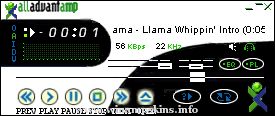
This is my first skin I ever made. I don't think it's that
good but, It's a start. I made this skin to promote
Alladvantage (you'll learn more about alladvantage
later). It is a basic skin with everything s ...
¯¯¯¯¯¯¯¯¯¯¯¯¯¯¯¯¯¯¯¯¯¯¯¯¯¯¯¯¯¯¯¯¯¯¯¯¯¯¯¯¯
MAGIC BLUE LIGHTS
_________________________________________
- created by JPL
- February, 2003
- Enjoy!
Tip! Use WinAmp Cursor ...
This Winamp skin was made by Carl Warwick (c)1999 (http://www.ParkstoneMOT.freeserve.co.uk)
Distribute this skin freely to anyone, but don't mess around with any of the files please.
Submit your skins, check it out at http://www.ParkstoneMOT.freese ...
April 2001
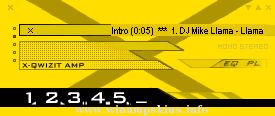
rp13 yellow
Mein dreizehnter WinampSkin
Viel Spaß damit!
Was ich sonst noch mache:
POV-Ray, TakeONE und Sound Club:
http://home.t-online.de/home/porrey/
speziell TakeONE auf:
http://disney.comiccity.de/porrey/
Gruß Porrey
eMai ...
R - E - F - L - E - C - T - I - O - N
This skin was made:
- on PhotoShop 5.5
- under WinAmp 2.74
- by CODE EMPEROR
If you haven't
georgia(font)
get it from
skin files
C --- O --- M --- M --- E --- N ...
*** ]V!tal!z0r[ AMP ***
>>by: c-5pecter (Christian Schönrank)
:::::::::::::::::::::::::::::::::::::::::::::::::::::::::::::::::::::::::::::::::::
hi, folks!
this is my latest skin for Winamp 2.xx. this time i tried to catch up the "summer fee ...
"bloo plastik"
Began: October 6, 2002
Completed: October 6, 2002
I started designing this skin a couple of weeks ago. I decided to start it today (began date), and I finished it today as well.. It was an easy skin to make.. I am very proud of w ...