This skin was downloaded from Chancers Winamp Skin Page:
http://www.chancers.co.uk
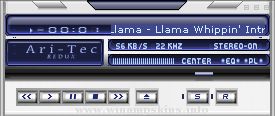
Skin Name = Millenium Ice Fusion (v5)
Skin Verison = 1.0
Skin Author = Joe W. Garrett (aka "Garet Jax")
Author Email = info-is@in-file
Special Features:
All parts of this winamp skin are done.
Included:
Winamp Main - Skinned
Winamp Equalizer - Skinned
Winamp Playlist - Skinned
Winamp Minibrowser - Skinned
To use a Skin Developed By Garet Jax Follow the Instructions Below:
Note. If your using a version prior to 2.X you may not be able to see the full Skin package.
Step I. Extracting the Skin
1. If version greater than 2.x (No Need to extract just place the zip in your skins Directory)
2. You will need winzip or an equivalent software package to install the skin if prior to Winamp is version 1.X.
3. Extract the Skin to a directory on Computer. Preferred is as follows:
a. C:Program FilesWinampSkins {If default was used to install winamp)
b. or Another Directory.
i. If another directory is used you will have to point the skin browser to use an alternate skin directory location.
ii. To do this Press Alt+S and Click the button "Set Skins Directory".
c. Proceed to Step II.
Step II. Using the Skin
1. Open Winamp
2. Press Alt+S
3. Select the Skin you wish to use.
License / Registration:
1. You may use and do whatever the hell you like to my skin.
2. If you change or modify it please just drop me a line through E-Mail.
3. I would greatly appreciate it if you include the new skin that you made.
4. You can order a Skin developed for you or your company for a nominal fee (See Corporate Developement).
Corporate Development:
Winamp - Skinning
Basic Skin $50 (Corporate Colors)
Advanced Skin $100 (Corporate Colors & Logo)
Professional Skin $300 (All Pieces Skinned & Advanced Logo Generation With a Webpage that is Linkable to Corporate Website.)
NeoPlanet - Skinning
Basic Skin $100 (Corporate Colors)
Advanced Skin $300 (Corporate Colors & Logo)
Professional Skin $600 (Corporate Colors, Animations, Advanced 3 Graphics, and Corporate Web LinkList, with Channel Definitions.)
Thank You,
Joe W. Garrett
Winamp Skin Developer
Web Developer / Java & DHTML
JUNGBLUTH - Skin
1st skin by
Bernd Jungbluth
www.jungbluth.de
This skin shall NOT be flashy, noisy or any other way anoying.
This skin shall be light, straight and reassuring.
This skin is created with assistance by Skinne ...
6-8-99
Whee, took awhile to finish this one because I got distracted by Project
Akon 10 in Dallas, TX :) I had a fun time, even if I was too broke to
get anything in the dealer's room >_< Anyway, here is a lovely skin from
Angel Sanctuary. Such b ...
Gnome Amp II v1.03 by Rubens July 15th 1999
Introduction___________________________________________________
Thank you for downloading this skin. Hope you like it.
This is a WinAmp 2.2 skin, updated from the Gnome Amp
skin from .
Information ...
DRAGON Z amp V3.0 AMP
Hey! This is my first skin but newer! Well sort of... It's more of a build on. I've made most of
the buttons see through so more of the pictures can be seen. If you downloaded DragonballZV1.0amp
or DragonballZ V2.0amp t ...
kohina 1.2 / 24-bit winamp 2.9 version / june 2003
by harri granholm / info-is@in-file
kohina.com - old school game & demo music radio
check out the site for xmms and 4-bit versions!
cheers to mayday for the idea and spanking me ;-) ...
~ Read Me...{most likely seeing this if you are a skinner or starting out to be one} ~
If you are reading this then you are probably a skin maker or simply to freakin nosy.
This skin is dedicated to everyone out there that have art in their freakin ...