Bloodfire Chrome v1
By: Dave "Bloodfire" Hudson
December 4, 2003
Progams Used:
Corel Photopaint 11 - Skin Artwork
Microangelo - Cursors
Other Skins:
Teal Steel
Bfire_100
Bfire_100i
Mechanikill v1
Notes:
So far my favorite WinAmp Skin creation. Not much to tell about it. I wasn't inspired by anything, I just wanted something chrome and red....so here it is. Enjoy!!
Installation:
Place BloodfireChrome.wsz file into winamp skins directory, usually c:program filesskins.
Open BloodfireChrome.wsz file with winzip, (www.winzip.com, right-click file-> open with winzip), locate BloodfireChrome_01.avs and green_neb.bmp and extract to winamp avs directory, usually c:program fileswinamppluginsavs. Read instructions for activating visualizations to launch BloodfireChrome_01.avs.
Legal Stuff:
All artwork is mine and should be treated as such. If you like my work or would like permission to use it, please email me and let me know..(info-is@in-file)
"bloo plastik"
Began: October 6, 2002
Completed: October 6, 2002
I started designing this skin a couple of weeks ago. I decided to start it today (began date), and I finished it today as well.. It was an easy skin to make.. I am very proud of w ...
Back To The Heavyweight Jam - Ver 1.00
--------------------------------------
Author: Rene Saare
Date finished: January 4, 1999;
Description: It's the cover of Scooter's 6-th album "Back To The Heavyweight Jam".
Notice: Please if you ...
minibrowser
Erm...
Hello!
Me Luigi.
Me Luigi Hann!
This skin tells a story.
Story about good.
Story about bad.
This skin tells the story of a truly great game.
The game of "The Neverhood"
Luigi thinks once you use this skin, ...
FOX McCLOUD
-----------
This skin is taken from StarFox® 64 featuring the key charachter, Fox McCloud.
I tried to show most of the picture as well as all of the controls and this was the result.
Colours were chosen to match the starry background s ...
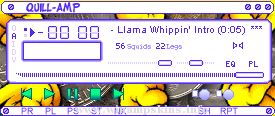
QUILL-AMP v1.01
Yarbles...
Yada yada yada. This is my first skin, and was originally made from the Bang & Olufsen skin, although now is completely different in everyway, so i don't think any rights have been breached. Sorry if they have, i didn't ...
**************************************************
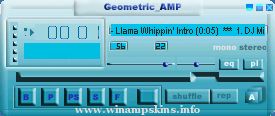
"Geometric_Amp" skin for winamp
Made by Android_[MD]
==============================================
///My 2-nd skin for Winamp///
**********RUS************************* ...
================================Agent J-87================================
6:02 PM 5/12/2006
Here's a skin I've been working on in between things,its a follow up version to my Army-Amped skin,hope you like it.This skin was made using Micrografx Picture ...