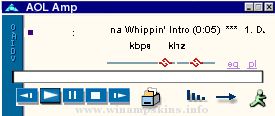
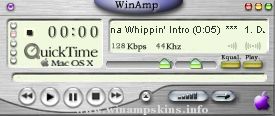
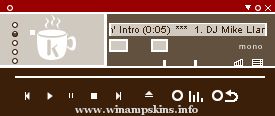
Handbook digi 4 by Philipptr
e-mail: info-is@in-file
First thing:
Don't...
...hear vanessa amorosi with this player...
...be angry with the handbook cause im a
german, 12 year young boy...
...be angry when you've heard enrique Iglesias
and now your mp3 player is broken...
...rip this skin, (you can remix it but please ask me
before u do) i think its ok when you get inspired
of it but dont rip it...
...be angry only because this hifi-set hasn't got
an aux-port...
...be angry only because the minibrowser and
the playlist haven't got scan lines...
Thanks for buing this Hifi-Music-set.
With its design you can use it in
every area : desktop, living room
or any place on the world. All
functions are working with these two
ways: Plastic buttons or Touchscreen-
display.
In this set is:
1 Main Mp3 Player
1 Equalizer
1 Resizeable Playlist
1 Resizeable Minibrowser
1 Avs Studio
How to use:
1. Main mp3 player:
1.1 ¿ Main functions ¿
in the left corner you can see some plastik buttons
they are labeld with the main functions:
back
play
pause
stop
forward.
1.2 ¿ Speed open ¿
if you want to open very quick a mp3-, wav-,
m3u-, pls-, mp2-, mp1-, wma-, mjf-, as-, voc-,
cda-, mod-, stm-, s3m-, it-, xm-, mtm-, ult-, mid-,
midi-, rmi-, hmp-, hmi-, xmi-, mss-, mus-, cmf-,
miz-, hmz- or a mp+ - file you can click on the
open button next the plastic buttons in the
little display.
1.3 ¿ Toggle Shuffel and Repeat ¿
the two buttons for this functions are in the
display next to the open button (see
"speed open") :
ŠŠ
ŠŠ ŠŠ = Shuffle off
ŠŠ ŠŠ ŠŠ
ŠŠ ŠŠ ŠŠ ŠŠ
ŠŠ
ŠŠ ŠŠ = Shuffle on
ŠŠ ŠŠ ŠŠ
ŠŠ ŠŠ ŠŠ ŠŠ
Cirquel with two arrows = Repeat on
Broken cirquel = Repeat off
1.4 ¿ Toggle Volume and Balance ¿
Two bars to toggle this very important
function are in the middle of the touchscreen
in the main part. The left one is for the volume
and the right one for the balance.
Dont be angry when you moved the left bar to
the left...
1.5 ¿ Open The Preferences ¿
Press the D-Button (top-left) then click on
options and then preferences.
From there you can change the most important
options.
=========================================
*ForteAmp*
=========================================
Hello there!!!
This is my second skin of Forte (Bass), and it has cursors of Forte and Treble, it really took me a lot of w ...
*** Palm Radio (Ver 1.1) ***
A skin for Winamp
Created by Dan Virgil
----------------------------------------------
(Click the "Edit" menu, then "Word Wrap")
Palm Radio is a Winamp ski ...
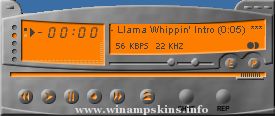
"bloo plastik"
Began: October 6, 2002
Completed: October 6, 2002
I started designing this skin a couple of weeks ago. I decided to start it today (began date), and I finished it today as well.. It was an easy skin to make.. I am very proud of w ...
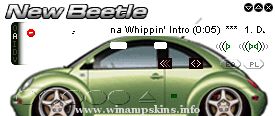
VOLKSWAGEN New Beetle
Released 3 Sept 00 (in my B'days)
* Bandung Indonesia *
I created this skin because i really like that's car
New Beetle is a wonderful car.
I truly hope you enjoy this skin.
author : Iswahyudi "idhuy" Hanafiah
...
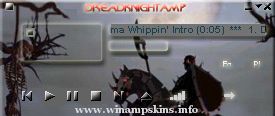
DreadKnightAmp 1.0
August 24, 2000
Author : Ferdhie
I've taken the picture from the games HEROES III,
cos, I figured it was so cool! ^_~
Visit my homepage for other skins that i've made
Url : http://ferdhie.homepage.com
e-mail : info-is@in-fi ...
if you like this original winamp skin,
you'll love the matching desktop theme featuring active & plain
wallpaper, musical screen saver, outlook
stationery, icq skin and internet explorer skin.
my desktop themes contain the complete song the sounds wer ...
########################### LET DER BE SPACE ###########################
Well i listen to muzic in dakness so i thought of making this
very dark skin for those of you who like to listen to muzic with absolute silence and darkness ..... wel i guess m ...