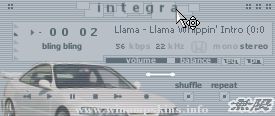
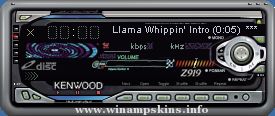
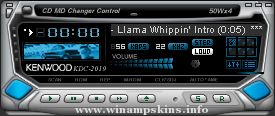
Visamp Overlay Skin version 5.0 alpha (2003-12-16) by hzr
You might think that this skin is pretty cool, but hey, you haven't seen the really cool thing about it. To do so, you must have version 2.74 or higher of Winamp (standard or full version). Just equip the AVS (double-click in the Visualization-window). If the window doesn't appear on the screen you do not have the AVS plugin choosen in the Plug-ins Visualization window. Fix that.
Ok, when the AVS window appears -- dbl-click in it. Another window should now appear. Press Settings > Display and check the Overlay mode in the Overlay mode box if it isn't already checked. Chose the color 31,0,15 (or press the default button at the right). It should now be ready. Pretty cool, huh!
You can now change the newpicks by right-clicking in the AVS window and choose another newpick!
You can also change the color of the skin by dbl-clicking in the vis-window and press the "+" button, Render > Clear screen and the color you want.
Since Winamp 2.9 seems to share the same file for both the Library and the AVS now, the AVS will look pretty bad :(
FreqAMP 1.1.0 Release g3
____________________________________________________
FreqAMP by Taras Brizitsky (AKA SacRat): info-is@in-file
Suggestions and bugreports are welcome.
____________________________________________________
This is my 4th Winam ...
COWBOY BEBOP winamp skin
skin by LuigiHann
Openning text found at www.jazzmess.com
Art captured from DVD
minibrowser
Once upon a time, in New York City in 1941... at this club open to all comers to play, night after night, at a club name ...
Enfin fini!!!!! Voilà le skin made in house de "SEVEN" alors que les serial-killers se régalent.
Pour toutes infos contacter moi info-is@in-file (COUVREUX Alexandre - FRANCE). ...
## WINAMP SKIN ##
Skin Name: Music of Mars' Fireworks
Release Version: v1.1
Description: This is a Winamp skin dedicated to that pretty soldier,
Sailor Mars. It comes with fully skinned EQ, Playlist,
Playlist buttons, ...
================ lavalAMP ===============
This skin was created in August 2002 by
Thomas Hooper (info-is@in-file)
If you're planning on taking credit for
this skin or publishing it without
mentioning me, DONT! because it took
flippin ages, usin ...
HiFi3 by AntM
---------
DATe: 6/8/2001
---------
HiFi3 is finally here! It took me a while, but
I finished. Hope you guys like it.I've worked
very hard on this skin so dont take anything
from my skin without my permission. I'd like
to thank all ...