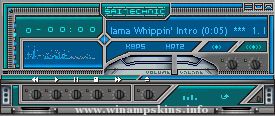
Bloodfire Chrome v1
By: Dave "Bloodfire" Hudson
December 4, 2003
Progams Used:
Corel Photopaint 11 - Skin Artwork
Microangelo - Cursors
Other Skins:
Teal Steel
Bfire_100
Bfire_100i
Mechanikill v1
Notes:
So far my favorite WinAmp Skin creation. Not much to tell about it. I wasn't inspired by anything, I just wanted something chrome and red....so here it is. Enjoy!!
Installation:
Place BloodfireChrome.wsz file into winamp skins directory, usually c:program filesskins.
Open BloodfireChrome.wsz file with winzip, (www.winzip.com, right-click file-> open with winzip), locate BloodfireChrome_01.avs and green_neb.bmp and extract to winamp avs directory, usually c:program fileswinamppluginsavs. Read instructions for activating visualizations to launch BloodfireChrome_01.avs.
Legal Stuff:
All artwork is mine and should be treated as such. If you like my work or would like permission to use it, please email me and let me know..(info-is@in-file)
Hi,
If you are reading this, then I guess that there is a good chance that you are about to 'borrow' some of my images for your own skin.
Well don't do it! If you are going to make a skin of your own, then you should do just that rather than steal b ...
Boy Meets World
By flatmatt
Version 1.11
April 15, 2004
=======================
I created this skin for one of my favorite TV shows of all time, Boy Meets World. It only took ten days to make, which is incredible for me.
The skin features:
B ...
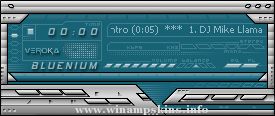
Bluenium classic v1.0
by Verónica Mogni
July 2006
Buenos Aires, Argentina
Spanish version below.
Versión castellana más abajo.
DO NOT pass this skin as your work.
DO NOT use elements of my skins for your own projects without my permission.
D ...