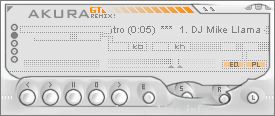
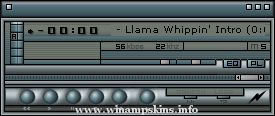
Night Dash V2"Car Dials/Buttons/Stereo by Night" Skin by EJPlaylist Font:Set as "Small Fonts"
Night Dash V2
"Car Dials/Buttons/Stereo by Night" Skin by EJ
Playlist Font:
Set as "Small Fonts", which looks rubbish above size 9.
Change font size to 9 in Options, Preferences, Playlist, Playlist Editor Appearance, Playlist Font Size.
[Also you can do this by selecting the playlist window, pressing 'Ctrl' & Numberpad '+' or '-']
You can also change to whatever font you want to use by dechecking "Use Skin or Language Pack Font"
Changes to V2:
Fixed minor bugs
Changed Selected Playlist line to red [from green]
Changed extra windows to general red colour scheme; they're not perfect but don't clash now.
Fixed the media library to be correct colours, looks pretty good now, and very usable.
Comments welcome
[You can email info-is@in-file with feedback or suggestions, or use winamp feedback]
nightraid v.1 (12.9.01)
---
for: winamp 2.7x
---
artist: jcterminal
notes: this is my second winamp for skin. tried some new techniques, aka buttons first and pseudo-anims in certain areas.
info: everything is skinned. i even mostly skinned ...