Space Invaders Amp
This skin for every "Space Invaders" mania.
Thank you for the people in the skin love forum who gave me suggestions.
Version1.3 Jan 18 / 2004
Changed Mikroamp.
Changed some details of library.
Changed Pnormal.cur.
Version1.2 September 24 / 2003
Invisible cursors problems were fixed.(But I don't satisfied about the result...)
Changed Pledit color.
Changed some details of library.
Version1.1 August 3 / 2003
Version1.0 July 22 / 2003
"Space Invaders"
1978 taito corp. all rights reserved.
*CAUTION
Do not use any stuff of this skin without permission.
Do not use commercial purpose without permission.
Do not republish without permission.
By Mrym
Sorry for my poor enghish.
info-is@in-file
minibrowser
[Skin]
Color=627590
CurColor=C4CBD2
CurColorC4CBD2
BKCurColor=333880
BKColor=131860
InfoColor=C4CBD2
-==================================================-
the Rugged skin by Jens Johansson
-==================================================-
January 10, 2000, Jens Johansson
--------------------------------------------------------
BeOS installation: ...
Down Poison
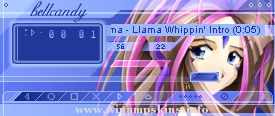
Chobits - Chii
by Kyrddis
26 January 2003
It's Chi from clamps Chobits. She is so beautiful and always looks so innocent. I need four days for the skin... that was hard work, but now everything fits in and I'm more or less satisfied. Onl ...
Thank you for downloading the Captain Caveman
Winamp skin, brought to you by..
Neil Harvey
info-is@in-file
http://www.btinternet.com/~harveynj101/jonestown
http://www.btinternet.com/~cartoonfun
Legal stuff....
Captain Caveman (1977,78,79,80, ...