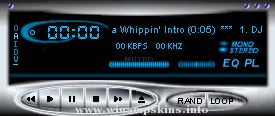
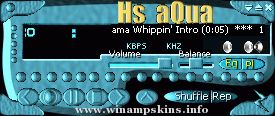
How to use this skin:
If you have a Winamp 2.04 or more:
put this zipfile into the /skins folder
under the /winamp one, then press ALT+S
with WinAmp Running and choose the skin from the list
that will pop up.
If you have a previous version:
Unzip all the zipfile into a folder under /skins one.
i.e.: /winamp/skins/Edu22amp
Every skin needs to be unzipped in a different folder.
Como usar este skin:
Se você possui a versão do Winamp 2.04 ou mais recente:
Coloque este arquivo zipado na pasta /skins que está dentro
da pasta /winamp, então tecle ALT+S com o Winamp funcionando
e selecione o skin da lista que irá aparecer.
Se você possui uma versão anterior:
Descompacte todos os arquivoe em uma pasta que esteja dentro da pasta
skins.
ex: /winamp/skins/EDU22AMP
Cada skin deve ser descompactado dentro de uma pasta diferente.
Author:
Eduardo Pereira
info-is@in-file
Joinville-SC Brazil
irc.braznet.com.br
#joinville
Eduardo22
Kimberly.wsz
------------
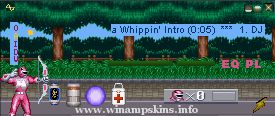
This is my first skin. I chose Power Rangers as it is one of my favourite games on SNES. Incidentally, Kimberly is my favourite player.
The pictures were taken from AREA 1 in normal mode and Ranger mode.
Buttons were modell ...
"bloo plastik"
Began: October 6, 2002
Completed: October 6, 2002
I started designing this skin a couple of weeks ago. I decided to start it today (began date), and I finished it today as well.. It was an easy skin to make.. I am very proud of w ...
------< Mekano DeLuxe Skin by Alex Dukal >-------
Released: 27th August 2002
-------------------------------------------------------------------------------
Thank you for downloading this Winamp 2.x Skin
from our site, we hope that ...
Title: Battle Girl
Game: Breath of Fire 2
Author: kayak
Email: info-is@in-file
For Winamp v2.91 and below.
Someone wanted more Breath of Fire 2 skins so I made another one starring Rinpoo Chuan a.k.a Katt. I found a cute picture of her somewhere ...