Skin Name: Zombie
Version: 2.0
Author: Michael Jervis
Email: info-is@in-file
Homepage: http://www.athernet.co.uk/homepages/mikejervis
Skinned: Main, Playlist, Equaliser, Minibrowser.
Description: Based on Rob Zombie's cover art for his first solo album, Hellbillie Deluxe.
Modifications From Previous Version (1.0):
Main Window: No Modifications
Equaliser: Recreated the slider graphics, different skull, bone colored this time
also replaced the 'chrome' pole the skull sits on for an extending set
of neck bones.
PlayList: Window totally reskinned, the old versions extendible parts created a 'banding'
effect, reskinned the window with the Skulls and Bones border from one of the
pages of the inlay, it expands a bit better. Still not happy with the bottom panels
though....
Minibrowser: Window totally reskinned. The old versions extendible parts suffered the same problem
as the playlist. New skin is based on the Zombie's teeth border of another page in the
inlay. Quite happy with this skin.
Best layout:
The skin looks most effective if you have the main window with the equaliser below it. Then put the playlist
on either side and expand to match the height of the other two. Then put the minibrowser below the other 3:
With that layout the colors blend together nicely....
____________
| | |
| | |
|----| |
| | |
| | |
|----------|
| |
| |
| |
------------
-- ASAMI WINAMP SKIN --
created by Devil
-----------------------------------------------------------------------
Name : Asami Onohara
Age : 17 (Married!)
Education : High School 2nd year
Asami is a character from a manga in a japan magazine,
it' ...
Radigitized
by : Bernadius WS
Email: info-is@in-file
comments:
I made thiz skin when I've got depressed.
I F@$#in' hate thiz fu#$in' skin so much.
I take days and week to made thiz skin.
I thought it's my ugliest skin that I ever made.
So wh ...
[Text]
Normal=#00FFCC
Current=#FFFF00
SelectedBG=#005588
NormalBG=#000000
MainBG=#000000
Font=Tahoma
;Normal=#CCEE00
;Current=#42FF42
;SelectedBG=#005040
it's a skin. it's for winamp. made by David Tryse, info-is@in-file, with some help from ...
Ari-Tec Redux 2.1 (April 2006)
by info-is@in-file
Thanks to Atomicross for allowing me to give Ari-Tec an overhaul. The original file can be found here: http://users.atw.hu/winamp/skinek/ari.zip
//////////// 2.0 \
With this ...
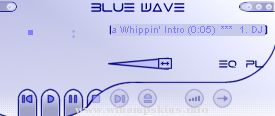
alpha blue (V.1.a)
drum'in baz iz the only solution!
yeah, heard dat? a new cool dsign, this skin have been made pixel by pixel.
my first attemt to a cool looking skin in fact....
Case!
info-is@in-file
case.planet-d.net ...
Thanks for downloading SpursAmp
This is my first WinAmp Skin
Hope you like it
Skin Name: SpursAmp v1.961 - Tottenham Hotspur Football Club (T.H.F.C.)
Author: Mike LuciferLuthier
Email: info-is@in-file
Web Page: Mike's Guitar Site - http://www ...
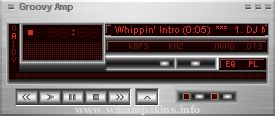
~~~~~~~~~~ GROOVY AMP ~~~~~~~~~~~~~
This is a metallic contoured amp that has
a maroon and red LCD display...
Watch out for the green LDC display...
~~~~~~~~~~~~~~~~~~~~~~~~~~~~~~~~~~~
Again MS PAINT was used extensively in creating
this amp... ...